AutoShare
com.joaomgcd.autoshare
View detailed information for AutoShare — ratings, download counts, screenshots, pricing and developer details. See integrated SDKs and related technical data.

Screenshots


Description
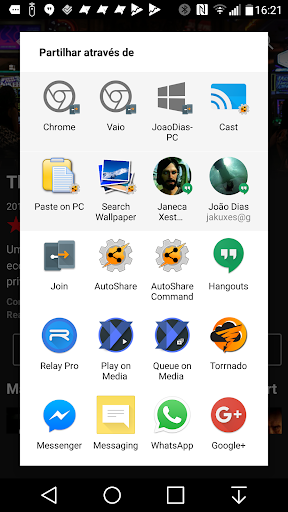
Add Tasker support to any app with AutoShare! Do anything on an ever growing number of apps with AutoShare intents available here:http://goo.gl/r1ibqy. You can also share to AutoShare from the regular Android share menu and get the share info into Tasker.
Simply use the regular Android share menu and choose AutoShare from the list and the Subject, Text or files will be sent to Tasker where you can do what you want with them! On the corresponding Enter Task you have several variables available:
- %assender (contains the sender app's package name; the app that shared to AutoShare)
- %assubject (contains the subject of the share)
- %astext (contains the text of the share)
- %asfile1, %asfile2, %asfile3, etc (contains path to files shared; can be accessed in tasker as an array named %asfile)
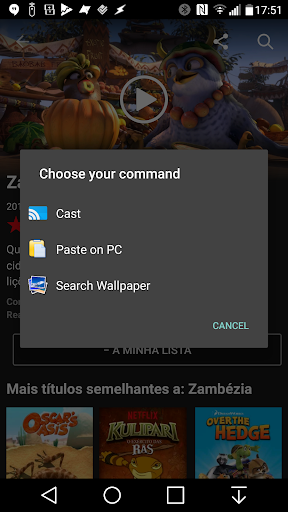
With the AutoShare command feature you can easily tell Tasker what you want to do with what you are sharing. For instance, use the "copy" command in a profile and in the corresponding task, copy %astext to the clipboard. Then share with the AutoShare Command and choose "copy" from the dropdown list, and whatever you shared will be available on your device's clipboard
You can also create an Android Share menu from within Tasker with AutoShare, with the Subject, Text and Images of your choosing.
- Intercept shares to other apps and replicate them in Tasker, where you can tweak them at your will or use Tasker variables to make them dynamic.. Watch this video to fully understand it: http://youtu.be/4QPi56Brqsg
Example uses (all these commands are free-form; you are free to come up with any command you'd like):
- Share to Clipboard: copy any share-able text to your phone's clipboard instantly
-Share to multiple social networks simultaneously: Share to AutoShare with a "social" command, in Tasker popup a window to input your personal comment then with AutoRemote (http://goo.gl/uJSce) send that to Zapier which in turn instantly posts it on Facebook, Twitter, etc! :)
- Add urls to your read-at-home list: Share urls with a "readathome" command and open those urls when you get home on your phone or even on your computer with AutoRemote (http://goo.gl/uJSce)
- Alter text any way you like before sharing it to another service: share anything with an "alter" command, and trim text, or alter it in any way you like and reshare it with another app via AutoShare
- Add Sharing sending and receiving abilities to your StandAlone apps
- Add items to your todo list: share any text with a "todo" command and add it to a list in Tasker
- Share when at home: Want to remember to share that special photo when you get home? Simply set a Wifi-connected profile connected to an AutoShare Task and when you get home you'll be reminded to share the photo instantly
Note: Lite version is limited to only receiving and sharing the Text field. You can purchase the full version in-app.