Roku TV Remote & Roku Cast
com.jitech.roku.tv.remote.control
View detailed information for Roku TV Remote & Roku Cast — ratings, download counts, screenshots, pricing and developer details. See integrated SDKs and related technical data.
Screenshots


Description
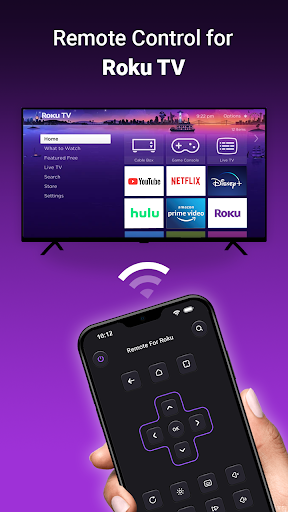
Roku TV Remote & Roku Cast is a phone app that helps you control Roku TVs using WiFi. With this app, you can use your phone as a remote to turn the Roku TV on, adjust the volume, browse and watch shows, and open channels. It does everything your regular Roku TV remote does.
Use your phone as a remote for your Roku TV with the Universal Roku TV Remote App. This app works with Roku streaming devices. It's also compatible with Android phones with a system version of 7.0 or later.
If you've lost your physical remote or just find it more convenient to use your phone, this app is the perfect solution for controlling your Roku TV.
Here are some features:
Easy setup: Download the app, connect it to your Roku TV, and start using it right away.
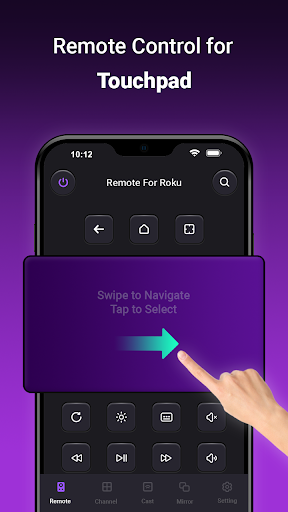
Simple navigation: Easily move around the Roku TV interface with a touchpad for scrolling and swiping.
Playback controls: Control your content's playback with buttons for play/pause, fast forward/rewind, and volume.
Channel shortcuts: Create shortcuts for your favorite channels for quick access with a single tap.
Power ON: Turn your Roku TV on with one tap on your phone.
Screen Mirroring: Share your phone screen on a smart view TV using the mirroring function.
Cast to TV: Watch local photos and videos on your TV by casting your phone screen.
Here's how to connect the remote controller app to your Roku TV:
Ensure your Android phone is on the same network as your Roku TV.
Download and launch the Roku TV controller app, then tap to select your Roku TV as the target device.
Once connected, you can control your Roku devices with the app.
Troubleshooting tips:
Make sure your phone and Roku TV are on the same WiFi network.
If you can't connect to your TV, try reinstalling the app and restarting the TV to fix most bugs.
Note: Join It Tech is not affiliated with Roku, Inc, and Remote for Roku: TV Remote is not an official product of Roku, Inc.