PowerMeter
com.iwa.shenq_huang.power_meter
View detailed information for PowerMeter — ratings, download counts, screenshots, pricing and developer details. See integrated SDKs and related technical data.

Screenshots

Description
1. Basic function page (welcome page/connection matching/technical support)
Welcome page: For the page after entering the app, the app will automatically jump to the next page after the app is launched.
Connection pairing: guides the user to open the search for the Bluetooth device, and the search results are displayed in a list.
Technical support: In order to serve users at any time, the customer service function is placed in the system interface to facilitate user assistance.
2. Communication parameter settings
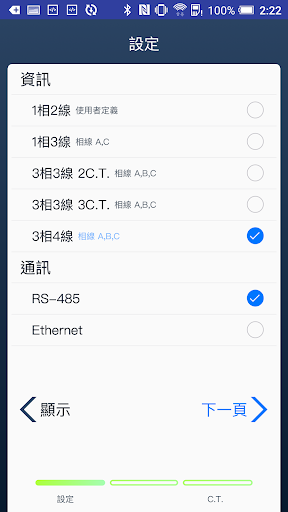
Different connection modes such as RS-485 or Ethernet can be set for different environments, and the baud rate, the same bit, the data bit, the stop bit, the IP address, the subnet mask, and the gateway address can be set. , Modbus TCP connection, and other different parameters.
3. Phase line parameter setting
Different parameter settings can be made for four serial types such as 1P2W, 1P3W, 3P3W, and 3P4W. Each setting item needs to be adjusted according to the physical phase line system and CT serial connection mode, and attention should be paid to the correctness of the serial connection mode to ensure information transmission.
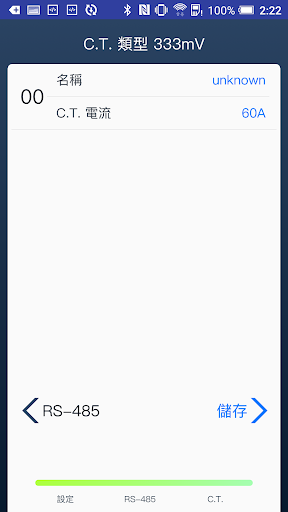
4. C.T. parameter setting
It is possible to provide 333mV and 5A equalizer parameter settings and confirm whether the magnitude of the passing current matches the set value.
5. Other functions
It can be set as the data return time, or the current read value status can be re-stated, and the hardware can be reset directly if necessary (all parameters are restored to the factory settings).