iLauncher OS 18
com.istyleosx.simpleilauncher
View detailed information for iLauncher OS 18 — ratings, download counts, screenshots, pricing and developer details. See integrated SDKs and related technical data.
- No items.

Screenshots
Description
✨ Transform Your Android Experience with iLauncher OS 18!
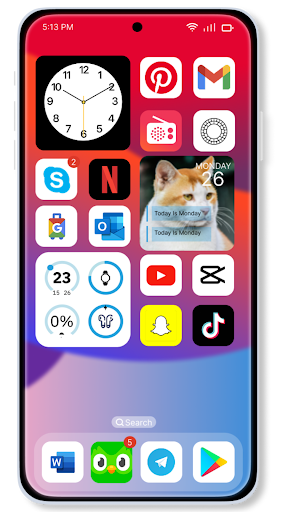
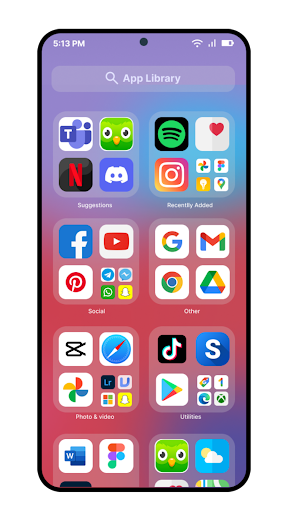
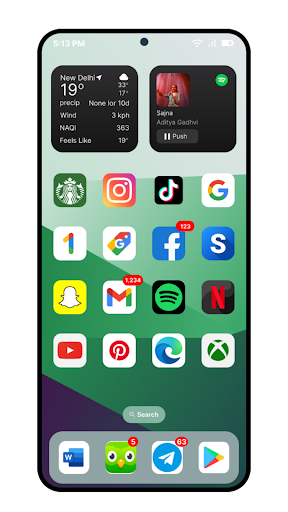
iLauncher OS 18 brings a clean, modern, and stylish home screen experience to your Android device. Enjoy a minimalist design with smooth animations, customizable layouts, and easy access to your favorite apps.
iLauncher OS 18 to generate modern home screen experience to Android devices. Customize your layout, icons, and widgets with a sleek and stylish interface.
🌟 Key Features:
📱 Minimalist Home Screen: Keep your apps organized with a sleek and intuitive interface.
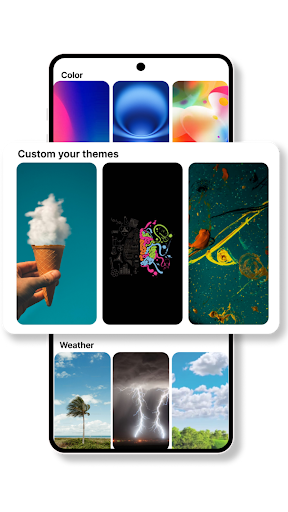
🎨 Custom Themes: Personalize your device with unique themes and icon packs.
🚀 Smooth Performance: Lightweight and optimized for fast, responsive navigation.
🔧 Smart Widgets: Access useful tools right from your home screen.
🌈 Theme Customization: Adjust colors, fonts, and icon styles to match your taste.
🔄 Easy Setup: Quickly personalize your layout with user-friendly settings.
🌐 Why Choose iLauncher OS 18?
Whether you’re looking for a stylish upgrade or a more organized home screen, iLauncher OS 18 offers an aesthetic experience without compromising performance. Enjoy the perfect blend of style and functionality!
📌 Why Does This App Use Accessibility Services?
iLauncher OS 18 uses the AccessibilityService API strictly for lock screen enhancements, providing a smooth and secure experience:
🧊 Custom Lock Screen Overlay – Displays a stylish lock screen over all apps for instant access.
🌀 Gesture Unlocking – Unlock the device using simple gestures like swiping from the top-left corner.
🔔 Interactive Notifications – View and respond to notifications directly from the lock screen.
🛡️ Non-Intrusive – We do not change system settings or interfere with your device functionality.
🔐 Privacy & Safety Commitment:
🛑 We do not collect, store, or share any user data.
📵 Accessibility permission is used only for lock screen display and gesture unlocking.
✅ 100% compliant with Google Play’s Accessibility API policy.
🚫 No background tracking. No hidden behavior. No system modification.
⚙️ Required Permissions (Explained):
📷 Camera – Instant access to the camera from lock screen.
📞 Phone State – Display caller info on the lock screen.
🔔 Notification Access – Show live alerts and messages.
🖼️ Storage – Set wallpapers from your photo gallery.
🪟 Draw Over Apps – Overlay the lock screen smoothly.
♿ Accessibility Service – Needed only for screen overlay and gestures.
📝 Disclaimer:
This launcher is designed for Android devices and is not affiliated with Apple Inc. or any of its products. iOS and iPhone are trademarks of Apple Inc., registered in the U.S. and other countries.
🌟 Get Started Now!
Download iLauncher OS 18 and give your Android device a stylish new look today!