오피스렌탈 - 사무기기 렌탈 전문 앱! 500여 업체
com.inkwa.inkwaoffice
View detailed information for 오피스렌탈 - 사무기기 렌탈 전문 앱! 500여 업체 — ratings, download counts, screenshots, pricing and developer details. See integrated SDKs and related technical data.

Screenshots


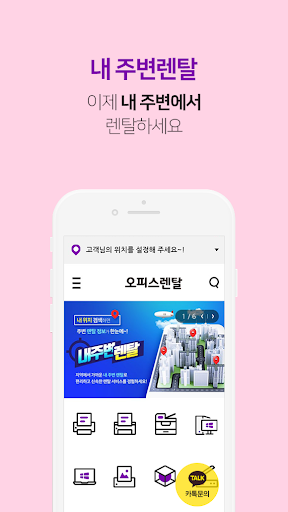

Description
You can compare and search office equipment suitable for your office environment with the app, and you can conveniently rent from a nearby rental company based on location.
[About App Access Permissions]
In accordance with Article 22-2 (consent on access rights) of the Information and Communications Network Act that came into force on March 23, 2017, 'Office Rental' obtains the user's consent for the 'app access right' necessary for using the service. We will guide you.
◇ Required access rights
- Device and app history: Check app status (version), check app errors, and improve usability
- Device ID: Device identification and advertising tracking
- Name/Contact Number/E-mail: When it is necessary to improve service and respond to customers
◇ Other information
- Consent to optional access rights is obtained when using related functions, and you can use the 'office rental' service even if you do not agree.
- In the case of Android 6.0 or lower, individual consent for optional access rights is not possible, and only batch consent processing for all items is possible. We recommend updating to version 6.0 or higher for smooth service use.
- You can change the settings at any time in the phone's 'Settings> Application Management> Office Rental> App Permissions' menu.
If you have any inconveniences or questions when using the app, please contact us at the bottom of the office rental app screen > Customer Center and we will help you quickly.
We will do our best to improve service quality and customer satisfaction for convenient mobile shopping in the future.
◇ Report any inconvenience or error related to using the app:
inkwa0609@naver.com (terminal model, OS information)
◇ Customer Center 1522-5044