IceWarp Authenticator
com.icewarp.authenticator
View detailed information for IceWarp Authenticator — ratings, download counts, screenshots, pricing and developer details. See integrated SDKs and related technical data.
Total installs
186.0K(186,070)
Rating
0.0
Released
March 14, 2018
Last updated
July 15, 2024
Category
Business
Developer
IceWarp
Developer details
Name
IceWarp
E-mail
apps_support@icewarp.com
Website
unknown
Country
unknown
Address
unknown

Screenshots


Description
IceWarp Authenticator provides ultimate security for your IceWarp account through a Two-Step Verification process. Step one: type your password as usual. Step two: retype the one-time code generated by IceWarp Authenticator. The code changes every 30 seconds and proves your identity through something you always carry with you – your mobile phone.
Why Two-Step Verification?
-------------------------------------
Protects you against password theft
No extra password to remember
Easily accessible through the application
Works without cellular/internet connection
Features
-------------------------------------
Effortless setup by scanning a QR code
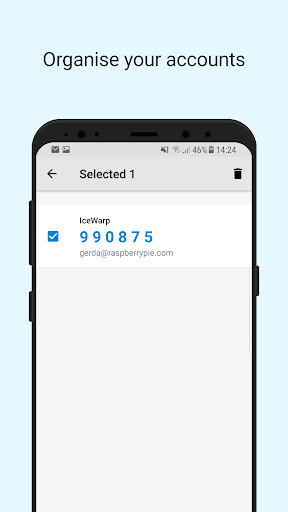
Supports multiple accounts
Time-based code generation
Setup Two-Step Verification
-------------------------------------
1. Download the IceWarp Authenticator app.
2. Login to your WebClient account and open Options under your photo.
3. On the screen that opens click the Two-Step Verification button and select the IceWarp Authenticator app.
4. Open the IceWarp Authenticator, tap Start Setup, tap the icon to Scan QR Code. Allow the app to access the camera when prompted.
5. Scan the QR code displayed in WebClient, or alternatively retype the Key into the app.