Custom Soundboard Creator
com.hipxel.custom.soundboard.maker.creator.free
View detailed information for Custom Soundboard Creator — ratings, download counts, screenshots, pricing and developer details. See integrated SDKs and related technical data.

Screenshots


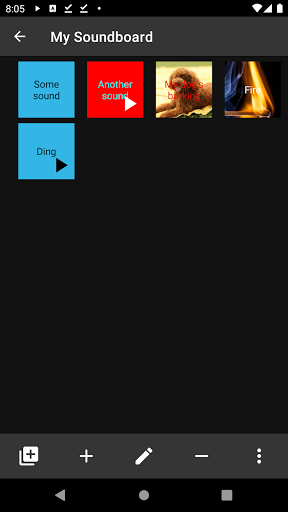

Description
Make your own highly customized soundboard with this powerful creator.
App may also be known as Cue player.
Features:
★ The most advanced custom soundboards maker / creator tool.
★ Unlimited number of soundboards.
★ Unlimited number of sounds in every soundboard.
★ Customizable soundboards with background images / colors, text colors.
★ Customizable buttons on soundboard with images, colors, text colors, size and more.
★ "Playable over" and looped sounds.
★ Possibility to get audio from multiple sources.
★ Sounds recording.
How to:
1) Create new custom soundboard by clicking "+" button.
2) Type name of your soundboard and optionally customize it then confirm with "SAVE".
3) Now the soundboard is visible on a list from there possible are:
a) Add new soundboard by clicking again "+" button.
b) Open a context menu by clicking 3 dots on any soundboard from the list. From context menu you may Edit / Delete soundboards.
4) Click on soundboard to show sounds.
5) Add new sounds with "+" button or record them with "microphone" button.
*) Every created / modified soundboard is auto-saved.
Action buttons description:
"Add" - adds new sound to soundboard.
"Record" - instead of adding existing file creates one from recorded data.
"Resize" - turns on/off buttons resizing mode.
"Swap" - swaps position of two buttons on soundboard.
"Soundboards" - shows list of created soundboards.
By long clicking on button on soundboards context menu launches with options:
"Edit", "Delete", "Move to another soundboard", "Copy to another soundboard"
★★★ Explore more features that are not mentioned in this description ★★★
Ads:
May be easily ignored if you don't want to support this app.
There is also an In-app-purchase that makes app ad-free.