HENA WALLET
com.hena.henawallet
View detailed information for HENA WALLET — ratings, download counts, screenshots, pricing and developer details. See integrated SDKs and related technical data.

Screenshots



Description
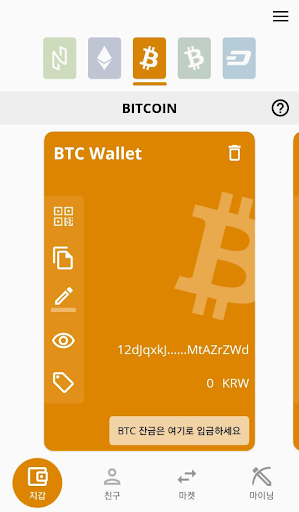
This is Hana platform’s multi-cryptocurrency wallet allow you to manage a variety of cryptocurrency such as Ethereum, ERC20 and bitcoins.
※ The features of HENA wallet ※
· Multi-function wallet
you can create multiple accounts such as Ethereum or Bitcoin, and use them separately for different purposes.
· Automatic friend registration
When a friend in your address book uses HENA Smart Wallet, you can automatically register your friends and make transfer more easily.
· Add token function
Unsupported ERC20 tokens, such as unlisted tokens, can also be transferred from your wallet via the 'add token' feature
· Integrated Wallet Management
You can bring a wallet other than the HENA platform and manage the whole cryptocurrency in one place.
· Show Local currency
Supports currencies in 22 countries, including Korean Won, US Dollar, Japanese Yen, and Chinese Yuan.
Check your assets with the currency that works best for you.
※ Supported cryptocurrency ※
· ETHEREUM & ERC20 Token
· BITCOIN
· BITCOINCASH
· DASH
※ Any questions
· Official website: http://www.hena.io
· Telegram: https://t.me/joinchat/IzL18xH_lK18OUDWmtfHCg
※ Access request (Android)
· Required access privileges
Storage space: Used to save images and save settings on the device
Address Book: Used to provide auto-registration and management functions for friend list
Device information: Used to check the device country code, network connection status, and phone number
· Optional access privileges
Camera: Used to provide QR code scan and profile picture taking functions