GLogs: Video Game Manager
com.harissabil.glogs
View detailed information for GLogs: Video Game Manager — ratings, download counts, screenshots, pricing and developer details. See integrated SDKs and related technical data.

Screenshots

Description
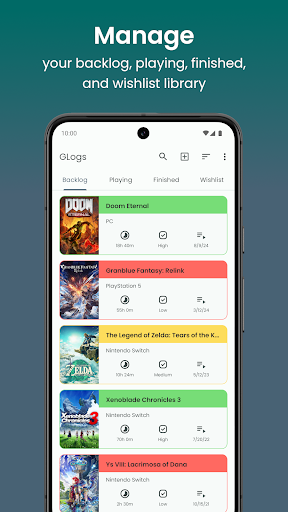
GLogs is a user-friendly app that helps you manage your gaming backlog, playing, finished, and wishlist library. With GLogs, you can easily track your progress, rate your games, and write your opinions about the game. You can also use GLogs to search for game information, such as genres, platforms, release dates, and screenshots. Whether you are a casual or hardcore gamer, GLogs will help you organize your gaming life and discover new games to play.
Manage — Organize your games into four categories: backlog, playing, finished, and wishlist.
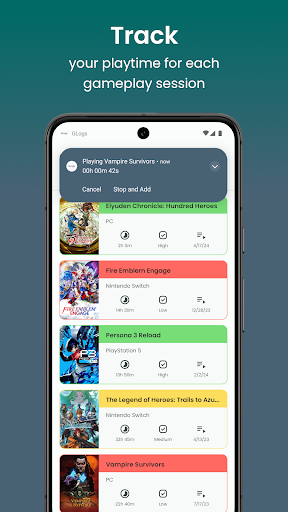
Track — Monitor and record how much time you spend on each gameplay session.
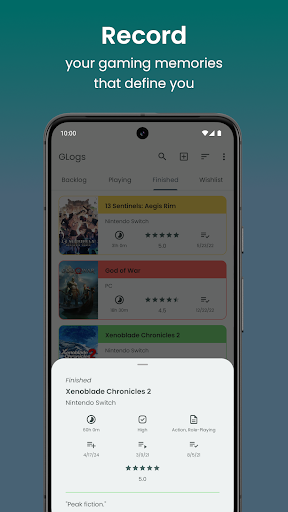
Record — Track and view your game progress. Add a rating and give your opinion about the game.
Discover — Find out your favorite games, new games, and top-rated games through the search feature.
Add — You can add games to your library in two ways: from search or manually. To add games from the search, simply type the name of the game in the search bar of the search game page then click on the game detail and click the "Add" floating button. To add games manually, click on the "Add game manually" button on the top corner of your library page and fill in the required information about the game.
Reminder — Set reminders for your backlog and playing games so you don't forget it. Choose what hours you want to be reminded by notification every day.
Customize — Personalize your app display to suit your preferences. You can change the display style, priority color, and dark mode of your library on the settings page.