VSight Remote : AR Help
com.hangaarlab.vsight.remoteapp
View detailed information for VSight Remote : AR Help — ratings, download counts, screenshots, pricing and developer details. See integrated SDKs and related technical data.

Screenshots

Description
Connect to an expert and collaborate on tasks with augmented reality.
VSight Remote is a complete collaboration and knowledge sharing tool that allows remote field technicians and experts to connect and collaborate via live video, audio, augmented reality content.
Benefits of using VSight Remote in your business:
• Connect instantly to the right expert and information.
• Scale your expertise
• Eliminate expert travel costs with ’See What I See’ remote functionality
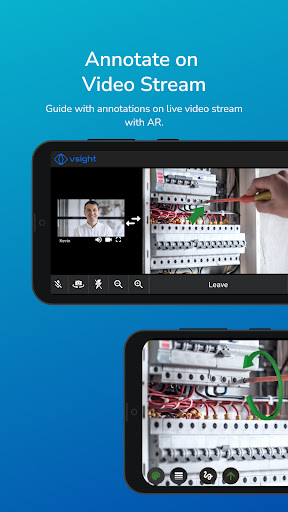
• Improve communication with AR annotations on live video stream.
• Maximize customer satisfaction
Features:
ANNOTATIONS:
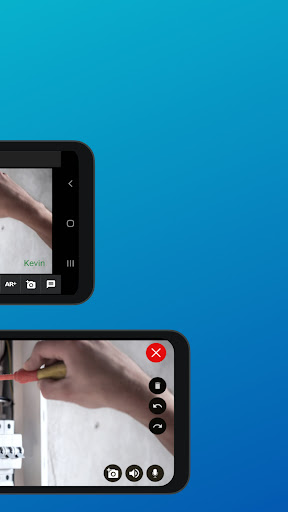
Experts have the ability to draw, highlight and top of real world objects in a shared video.
SCREEN SHARING:
PC or Mac applications or entire screen (web, .cad, .dwg etc.) can be shared in the remote screen of the smartphone, tablet or smart-glass.
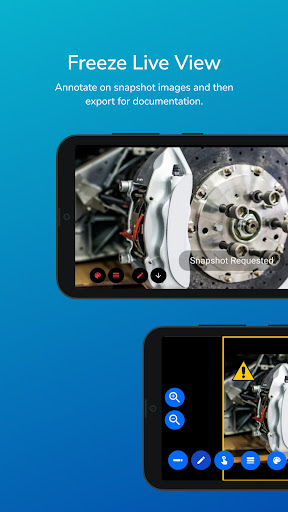
DRAWING IN FREEZE MODE:
In remote session, it is possible to take snapshots of video frame and simultaneously draw directions, shapes, text etc. on the image.
CHAT:
A WhatsApp style chat to communicate with your technicians and your customers in realtime.
COLLABORATIONS:
Scroll, zoom, draw on same document (.pdf, .png, .jpeg, .obf, . fbx) in realtime. Remote user sees everything from expert’s knowledge.
DRAWING IN AR:
In remote session, it is possible to draw and write notes on the live image in augmented reality in real time.
ADAPTIVE VIDEO QUALITY:
Video quality is adjusted based on connection quality to adopt changes.
ARCore is supported.
Please get in touch with our VSight Remote team to set up your accounts and benefit from VSight Remote: info@vsight.io