VerseMem: Bible Memorization
com.hagiostech.versemem
View detailed information for VerseMem: Bible Memorization — ratings, download counts, screenshots, pricing and developer details. See integrated SDKs and related technical data.

Screenshots

Description
Watch this video on how to use this app: https://youtu.be/crWpTjacEwE
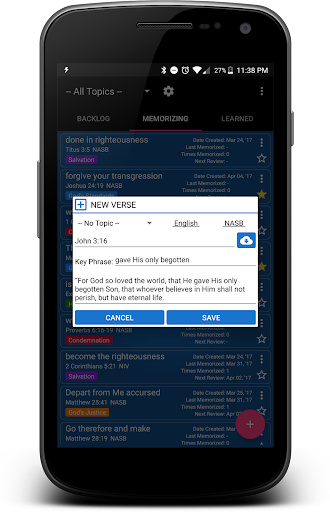
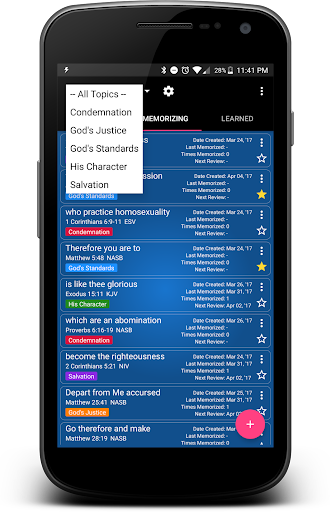
Start memorizing the Bible one verse (or multiple verses) at a time. Choose among dozens of languages and Bible versions/translations and download the verses you want automatically from the cloud by entering a reference (e.g. Genesis 1:1-2) and clicking the download button. You can Backup/Restore all your verses to the Google Drive. You can star a verse to make it a favorite.
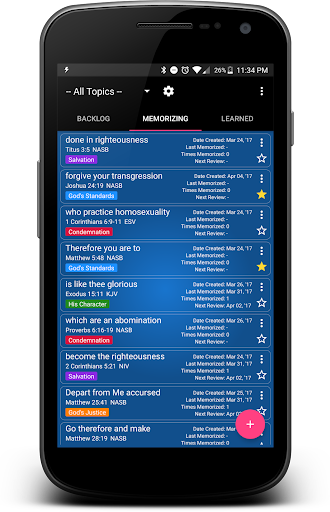
There are three lists for managing your verses: BACKLOG, MEMORIZING, and LEARNED.
-BACKLOG is where you place the verses you want to memorize at some point in the future.
-MEMORIZING is where you place the verses you are in the process of memorizing.
-LEARNED is where you place the verses you have already learned/memorized.
The app will automatically move verses from LEARNED back to MEMORIZING so that you can practice them again. The frequency in which a verse is moved from LEARNED back to MEMORIZING is calculated based on the number of times you have memorized that verse.
Enjoy! May God continue blessing you.
--
The HagiosTech Team