Simple Shift - work schedule
com.groviapp.shiftcalendar
View detailed information for Simple Shift - work schedule — ratings, download counts, screenshots, pricing and developer details. See integrated SDKs and related technical data.
Screenshots

Description
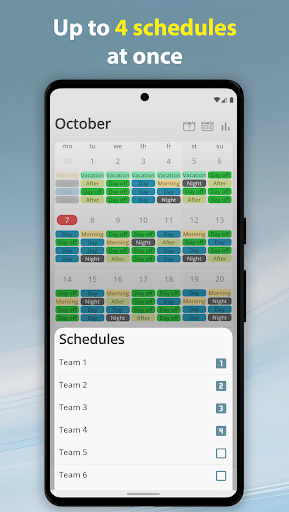
Simple Shift helps you to display your work schedule, no matter how complex your working pattern is. It is suitable for both recurring schedule and for schedules without repetitive shifts. There are no complicated settings and everything is simple and concise. One of the main advantages of Simple Shift is the ability to simultaneously display up to 4 different schedules on the calendar with the ability to quickly hide and display them. Mark your vacations, days off, various events. Track your working hours and earnings. The built-in alarm clock will keep you from oversleeping work. And most importantly - you will not find any ads here.
● Nice and not overloaded application interface
● Night mode
● Display up to 4 schedules at the same time
● Alarm
Different alarm times for different shifts. The alarm sound is the same as on the system alarm.
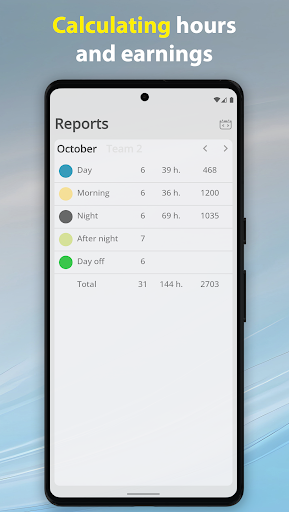
● Counting of working hours
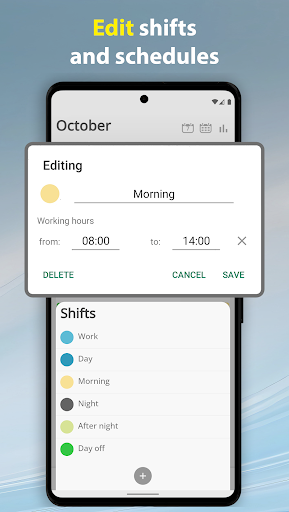
For each shift, you can set your own working hours. You can view the calculated working hours for the selected month in the "Reports" section.
● Calculation of earnings
Initially, this function is disabled. You can enable it in the settings.
For each shift you can set different earnings. The rule for calculating earnings can also be set for each shift: by shifts, or by hours.
● Vacations
You can specify your own vacation periods for each schedule.
● Events
Add your events, or synchronize them with the system calendar of the device.
● Backup and restore all app data
Useful for transferring data to another device.
● Interactive widget on the home screen
● No ads