TQ E-Bike
com.gpstuner.tqapp
View detailed information for TQ E-Bike — ratings, download counts, screenshots, pricing and developer details. See integrated SDKs and related technical data.
- No items.

Screenshots

Description
With the TQ E-Bike App, you can connect your TQ-powered e-bike to your smartphone without any fuss, allowing you to customize and control it.
Connecting your bike to the app:
Download the app and open it. Register and make sure the Bluetooth® on your phone is on. Turn on your e-bike and tap the connect button on the start screen of the app.
Dashboard Status:
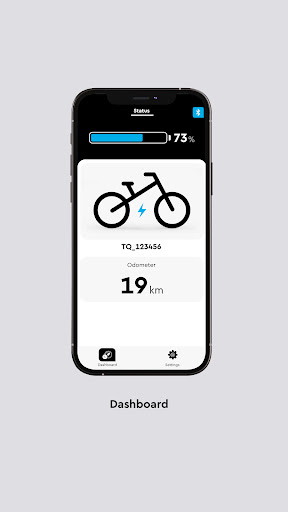
The dashboard only displays the most important information, such as battery status and odometer. A swipe to the left takes you to the Rider Screen. With a long press on the display values, you can configure them freely according to your preferences and keep an eye on the most important information during the ride. In the expanded "Bike Information" section, you can now find all important details about the status and lifecycle of your battery.
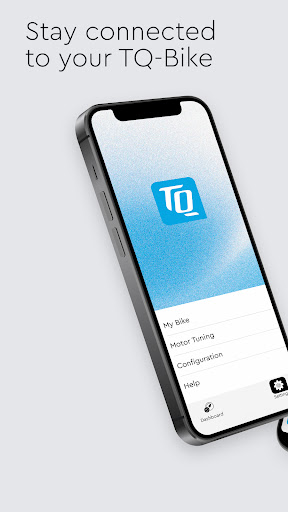
Settings:
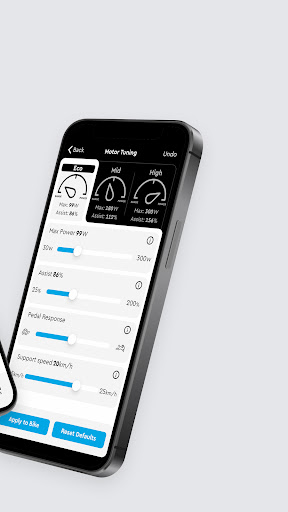
- With the Motor Tuning setting, you can fully customize the motor to your needs in any riding mode. You want maximum pedal feedback in mid mode or 200% support in high mode? No problem. Customize your own riding style with the TQ E-Bike app!
- Adjust the maximum support speed in the "Motor Tuning" to adapt the system even better to your needs and your training
- You can switch through your riding modes via an ANT+ connected device (like a bike computer)
- In the "My Bike" - "Bike Information" section, the current software version of your bike is displayed, allowing you to easily check if you need to visit a dealer for an update
- Adjust the display to your needs. Customize the sound, the displays and the order of the screens of your e-bike
- Use the app in multiple languages
- In the support section, you will find quick help for urgent questions
Additional information:
The app cannot be connected to bikes with TQ-HPR120S e-bike system.