Go Power! Connect
com.gpelectric.gopowermonitor
View detailed information for Go Power! Connect — ratings, download counts, screenshots, pricing and developer details. See integrated SDKs and related technical data.
- No items.

Screenshots
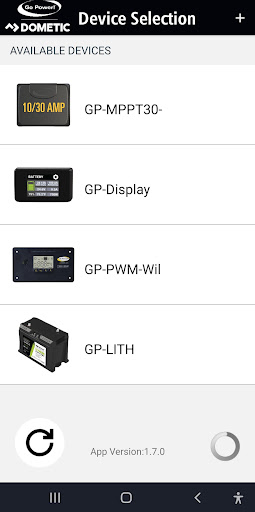
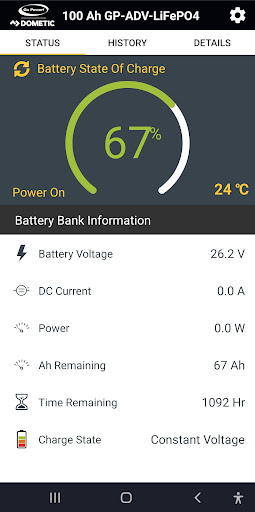


Description
(Android phones that are two years old or older may have Bluetooth connection difficulties)
FEB 2022 UPDATE (MANUALLY UPDATE IF AUTO-UPDATE IS NOT ENABLED):
• Additional fixes for GP-PWM-30-UL Bluetooth issues
• Fixed "State of Charge" display for GP-PWM-30-UL
For further support assistance & setup guides, please visit:
https://www.youtube.com/playlist?list=PL3w9a7v0w-gktucHwl4FL_JluHjv3iNQT
https://support.gpelectric.com/kb/article/155-gp-pwm-30-ul-bluetooth-connection-issues/
techsupport@gpelectric.com
________________________________________________________
DEC 2020 UPDATE SUMMARY:
• Connection issues with GP-PWM-30-UL have been remedied!
• The issue of battery type displayed in the app not updating properly when the battery type has been changed, is now fixed.
• Added support for GP-RVC-10-MPPT and GP-RVC-30-MPPT via GP-RVC-R
• Updated state of charge graphic for solar controllers
• Other minor improvements and bug fixes
See below for more info and thank you for your patience!
Connection issues with GP-PWM-30-UL have been remedied -
View essential battery and solar charging information for your Go Power! mobile solar system from your cell phone or tablet. Go Power! Connect allows you to stay connected to your solar charging system.
Compatible with Go Power! Bluetooth enabled products, this connectivity suite allows you to view your battery charging information, set your charge controller from afar, and view your solar performance remotely.
30-amp PWM Solar Charge Controller -
The Go Power! Bluetooth Enabled 30-amp Solar Controller (GP-PWM-30-UL) allows you to view and set essential battery information, including:
- Review Solar Charging Current,
- Activate Max Boost,
- Viewing Battery Voltage,
- Check on Battery State of Charge (SOC),
- and Set the battery type and charging profile
10 & 30-amp MPPT (RV-C) Solar Charge Controllers -
The newest Go Power! solar controllers feature an optional Bluetooth Enabled remote (GP-RVC-R) which allows you to use the controller without being connected to an RV-C system. Features include:
- Review Solar Charging Current,
- Viewing Battery Voltage,
- Check on Battery State of Charge (SOC),
- and Set the battery type and charging profile