Volumio Controller Trial
com.gforceproductions.volumiocontrollerfree
View detailed information for Volumio Controller Trial — ratings, download counts, screenshots, pricing and developer details. See integrated SDKs and related technical data.
Total installs
444(444)
Rating
unknown
Released
August 21, 2021
Last updated
January 1, 1970
Category
Tools
Developer
GForce Productions
Developer details
Name
GForce Productions
E-mail
info@gforceproductions.nl
Website
unknown
Country
Netherlands
Address
unknown
Android SDKs
- No items.

Screenshots


Description
Volumio Controller is a simple tool to control your Volumio.
The first time starting the app, you can fill in the ip-address of your Volumio in your local network.
This is then saved on your phone for all the next times you open the app.
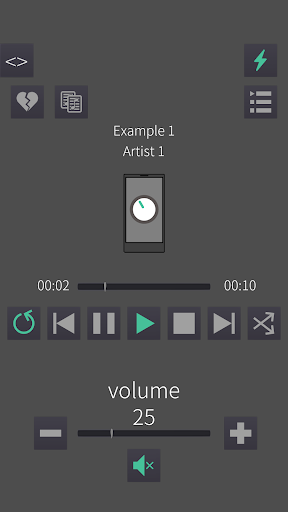
Currently has the following features: (v1.7)
Show playback info:
- Title
- Artist
- Album art
Playback control:
- Play
- Pause
- Stop
- Previous
- Next
- Random
- Repeat
- Seek
- Change volume (Stepwise and freely)
- (Un)mute
Track options:
- Add / Remove a track from favourites
- Add / Remove a track from a playlist
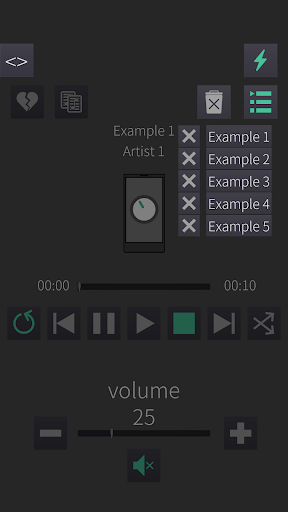
Queue:
- Show tracks in current queue
- Select a different track from this queue to play
- Clear the entire queue
- Remove a specific queue item
Browsing:
- Quick access buttons for: Playlists, Library, Favourites and Web radio.
All other categories are accessed with the last button: Other.
- Browse back and forth through the different categories
- Custom search by typing a query.
- Add a playlist/folder to the queue (if applicable)
- Replace the current queue with one of the playlists/folders (if applicable)
- Add a track to the queue
- Replace the queue by a track
- Creating a new playlist
- Deleting a playlist
- Removing a track from a playlist
- Removing a track from favourites
Controls:
- Shutdown Volumio
- Reboot Volumio