PBReader
com.gdev.pbreader
View detailed information for PBReader — ratings, download counts, screenshots, pricing and developer details. See integrated SDKs and related technical data.
- No items.

Screenshots
Description
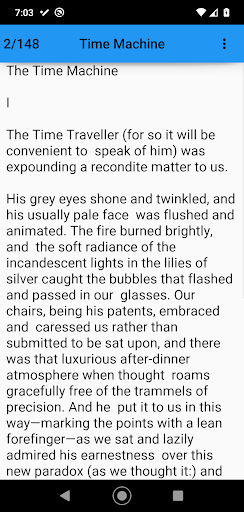
PBReader (PDF Book Reader) eases reading on a phone by extracting text from a PDF file so it can be resized to the your liking without requiring left/right scrolling. It provides the following capabilities:
- Display PDF text for reading
- Up/Down swipe to read full page of text
- Right/Left swipe to change pages
- Automatically save the current book and page
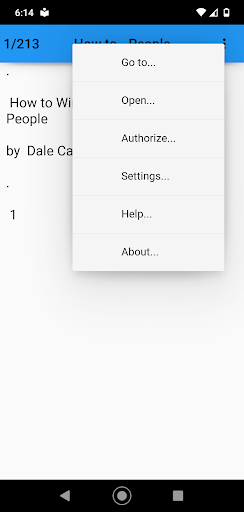
Additionally you can perform the following via the menu
- Go to page
- Open a new book
- Authorize with Google Drive
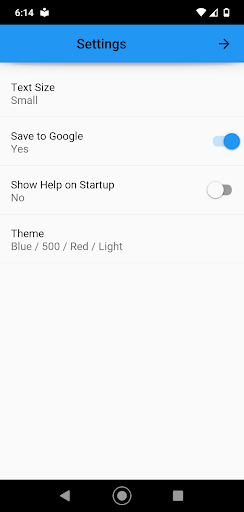
- Set default settings
+ Text size
+ Save to Google Drive
+ Theme (Color and Light/Dark style)
If you want the ability to switch devices and pick up reading where you left off then Authorize with Google Drive and Enable Saving to Google Drive. If this is not important to you then don't, the app works fine either way.
This app uses a background service to convert the PDF file to PBReader format resulting is faster start-up and page switch times. You can begin reading your book while the service works in the background, the page switching will just be slower.
== Limitations ==
This is a simple app that I wrote to read PDF novels on my phone while learning Python and Android App programming, as such it has some limitations. Even with the limitations I find it fulfills its intended purpose very nicely. The limitations include:
1. Text must be a single column
2. Pages contain text or a picture in jpg format only
I am happy with the end result. Feel free to report bugs, but please don't request additional features, there are plenty of other PDF reader apps for that.
I hope you find this app useful!
Garold Holladay
2018/2021