S-SAFE
com.fsecure.ms.ssafe
View detailed information for S-SAFE — ratings, download counts, screenshots, pricing and developer details. See integrated SDKs and related technical data.
- No items.

Screenshots


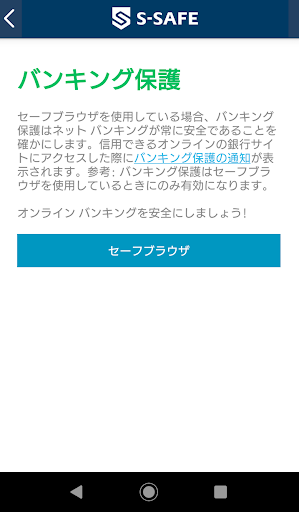

Description
S-SAFE protects your online banking connections as well as security features against viruses, Trojans and ransomware.
You can also limit your child's internet usage time and web browsing.
Since you can install up to 7 units, the whole family can use the Internet safely.
◆ S-SAFE prepares "Safe Browser" icon individually in the launcher
The "Safe Browsing" feature is available when browsing the Internet with a safe browser.
Only works. Make it easy to set the safe browser as the default browser
To allow your child to launch the Safe Browser more intuitively
"Safe Browser" is individually prepared as an additional icon for the launcher.
◆ Compliance with data privacy
S-SAFE is designed to protect the confidentiality and integrity of personal data.
We always take strict security measures.
Click here for the full privacy policy.
https://www.so-net.ne.jp/option/security/ssafe/detail.html#anc-04
◆ This app uses device administrator privileges
S-SAFE uses applicable permissions in accordance with Google Play policies and end-user consent.
Device administrator privileges are used to make the finder and parental controls work.
• Features used in the finder (remote alarm, wipe (delete data), locate (device discovery))
• Prevent children from deleting apps without parental consent
• Browser protection
◆ This app uses accessibility services
S-SAFE uses their respective privileges with the consent of the end user.
Accessibility permissions are used for the Family Rules feature.
• Allows parents to protect their children from inappropriate web content.
• Allow parents to apply device and application usage restrictions to their children.
You can monitor / limit application usage through accessibility services applications.