Typing Fingers LT
com.foriero.typingfingersios
View detailed information for Typing Fingers LT — ratings, download counts, screenshots, pricing and developer details. See integrated SDKs and related technical data.
- No items.
Screenshots
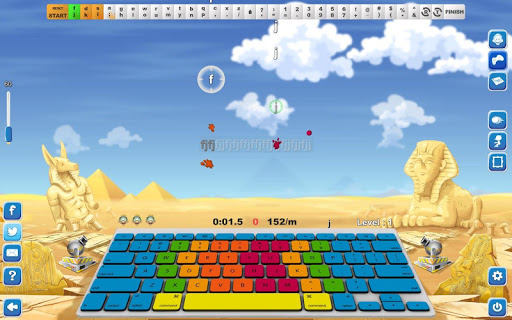
Description
*** USING EXTERNAL KEYBOARD RECOMMENDED ***
*** CHECK ALSO MAC VERSION OF TYPING FINGERS ***
- Ready for US/EN QWERTY keyboard layout -
Typing Fingers uses a completely new approach to teach the efficient touch-typing (ten-fingers) system. It makes typing fun, is interactive and works with modern technologies and a new teaching method. The beautiful design and peaceful music create an amazing atmosphere that allows everybody, including children, to improve their typing skills and get TYPING FINGERS DIPLOMA after successful completion of all levels.
*** SYMMETRIC SUPER LEARNING ***
Typing Fingers uses a modern teaching approach based on brain analysis. The SYMETRIC method helps to activate both brain hemispheres equally in the process of learning and playing the game. The user maps the keyboard symmetrically and symmetrical patterns are repeated again and again during the whole game.
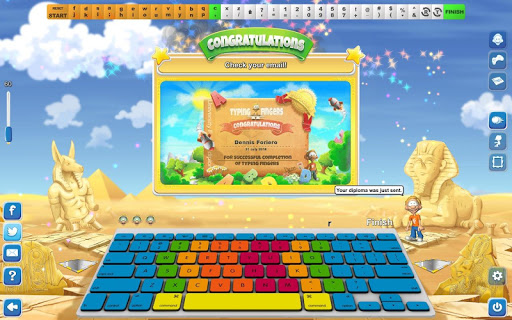
*** GET A TYPING FINGERS DIPLOMA ***
Win the game and get Foriero's Typing Fingers diploma! You can get exactly the same diploma as you see on the screen shots except with your name and date of game completion. Just print it and stick it on the wall and everybody, even you, will be proud that you have successfully completed TYPING FINGERS.
*** 32 LEVELS WITH INTERACTIVE TUTOR ***
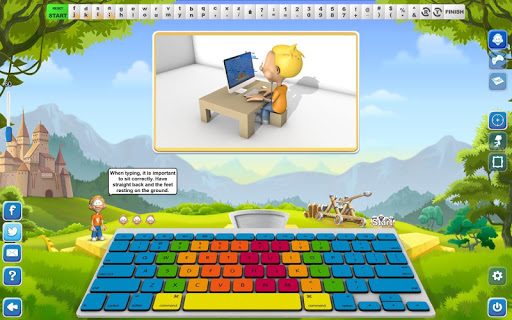
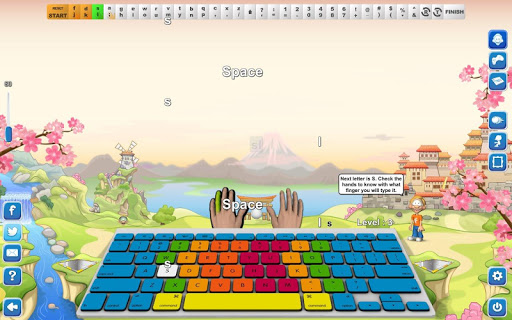
In all the 32 lessons a "Tutor" called "Dennis" will help you to learn which fingers are for striking which keys. The levels are built up gradually, so you learn how to use your keyboard in a fun and easy way.
*** LEARNING & PLAYING MODE ***
Each lesson is divided into two parts. The first one is for learning purposes. In this part Dennis helps you to memorize letters and symbols and to practise the correct motion.
The second part is a game and you have "ONLY" three lives to beat the level. Work diligently, ardently and persistently and you´ll get it!
*** WRITE US ***
If you have any ideas or notions or just feelings on how to improve this
app you can always press the WRITE US button in the game and send us your feedback and wishes. We will be very glad to incorporate all your input into a new version.