Realistic Spring Floral Watch
com.floradigital.simplefloral.pinkbloom.goldenfloral.spring.freewatchface1.watchface.wear
View detailed information for Realistic Spring Floral Watch — ratings, download counts, screenshots, pricing and developer details. See integrated SDKs and related technical data.
- No items.

Screenshots
Description
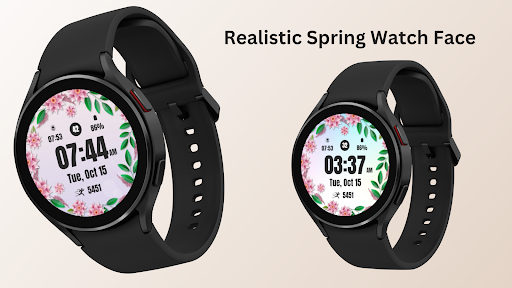
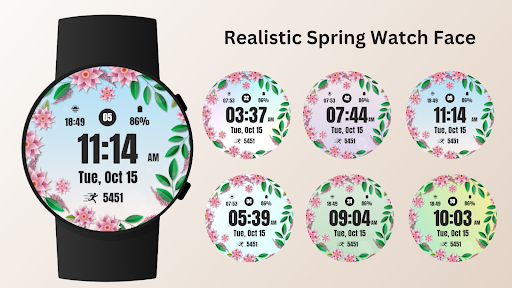
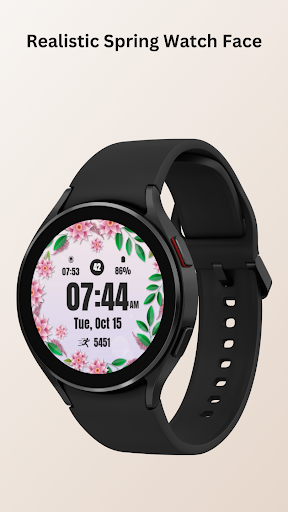
Bring the beauty of spring to your wrist with the Realistic Spring Floral Watch Face, designed specifically for ladies who love feminine elegance. Whether you're going for a casual day out or a special occasion, this watch face adds a touch of sophistication and charm to your everyday look.
Each floral design exudes charm, making it perfect for women looking for a stylish yet practical watch face that complements their day. With customizable complications this watch face is as functional as it is beautiful.
The Realistic Spring Floral Watch Face is ideal for women who want a watch face that offers elegance and functionality in one perfect design.
⚙️ Watch Face Features
• Stunning floral designs
• Date, month and day of the week.
• Battery %
• Sunrise & Sunset
• Steps Counter
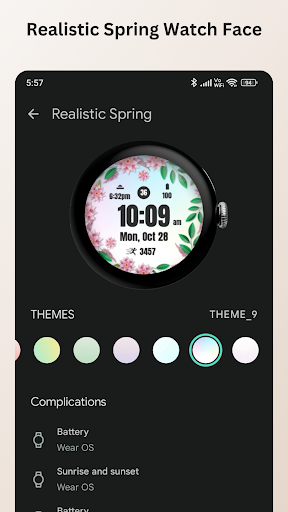
• Customizable Complications
• Ambient Mode
• Always-on Display (AOD)
• Long tap to customize
🎨 Realistic Spring Floral Watch Face Customization
1 - Touch and hold display
2 - Tap on Customize option
🎨 Realistic Spring Floral Watch Face Complications
Touch and hold display to open customization mode. You can customize the field with any data you want.
🔋 Battery
For better battery performance of the watch, we recommend disabling the "Always On Display" mode.
After installing the Realistic Spring Floral Watch Face , follow these steps:
1. Open the Companion App on your phone.
2. Tap "Install on Watch".
3 .On your watch, select the Realistic Spring Floral Watch Face from your settings or watch face gallery.
Your watch face is now ready to use !
✅ Compatible with all Wear OS devices API 33+ including such as Google Pixel Watch, Samsung Galaxy Watch etc.
Not suitable for rectangular watches.
Thank you !