Tsupetot
com.flankzone.Tsupetot
View detailed information for Tsupetot — ratings, download counts, screenshots, pricing and developer details. See integrated SDKs and related technical data.

Screenshots
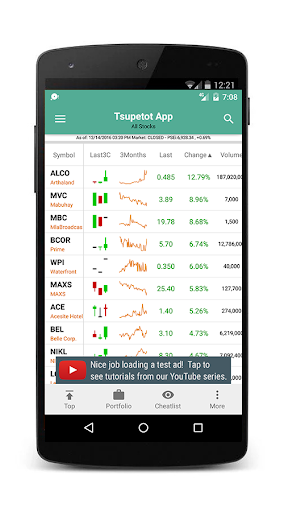


Description
Exclusively for Philstocks Client! Enjoy all FREE, no-subscription and no-purchase needed access to all current and future features of Tsupetot App. Open a Philstocks Account now, use the links in https://tsupetot.com/GettingStarted
Tsupetot - from the word tsup (means kiss or love) and petot (means peso or earn). Love and Earn (nagmahal at kumita in tagalog). Tsupetot is the app that will help you love to trade and earn in the Philippine stocks market.
Whether you are a local from Philippine or a foreign investor, this is the tool for you to easily view real-time Philippine stocks latest market values and historical charts with standard indicators like MACD, RSI, MFI, MAs, SMAs, etc.
List of Features include:
1. Sortable Page by %Change, Volume, and Price
2. Last 3 candle view
3. View all stocks chart profile in single page
4. Market Status
5. Stocks Historical Data with indicator
6. PSEi and Sectors Historical Data with indicator
7. Create Porfolio
8. Create Cheatlist/Watchlist
9. Profit/Loss Calculator
10. Profit Chart Projection
11. Support and Resistance
12. Fibonacci Manual and Auto Setup
13. Disclosure Alerts
14. Price Alerts
15. Comprehensive Financial Charts
16. Stock Jockey
17. ChatRoom
Note:
==================================================
1.) if you see a blank main page,
a. Goto your Phone Settings > Apps(manager)>Tsupetot>Storage>ClearCache
b. Goto your Phone Settings > Apps(manager)>Tsupetot>Mobile Data>DataUsage> Allow background data usage/Allow app while Data saver on
2.) if you cannot receive notifications, logout and login again
3.) If still getting error. Uninstall, Install Again. Then Logout and Login
4.)
==================================================