Fire Lens AI
com.firelens.wear
View detailed information for Fire Lens AI — ratings, download counts, screenshots, pricing and developer details. See integrated SDKs and related technical data.
- No items.

Screenshots


Description
FireLens AI, powered by OpenAI, makes your FireLens smart glasses smarter with hands-free, intelligent features that transform the way you experience the world.
Imagine exploring a foreign city and translating every sign instantly, or capturing unforgettable moments with a simple voice command — all without reaching for your phone. With FireLens AI, your glasses become a hands-free assistant that’s always ready to help.
✨ Hands-Free, Unforgettable Moments
Capture high-quality photos and record HD videos effortlessly by just saying “Hey Firelens.”
🔍 Unlock Insights Around You
Identify plants, landmarks, products, and more. Satisfy your curiosity — wherever you are.
🌐 Bridge Every Language
Translate menus, signs, and conversations in real-time — perfect for travel and exploration.
🔎 Knowledge at Your Command
Ask questions, get instant answers, and search the web — all hands-free.
📝 Stay Organized, Stay Ahead
Create notes, set reminders, and manage your day — productivity that moves with you.
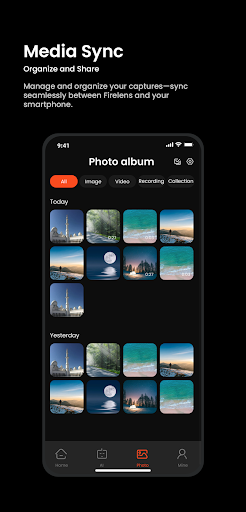
📸 Memories Synced, Always
Easily organize, transfer, and share your photos and videos between your glasses and phone.
⚙️ Tailored for You
Adjust device settings and preferences to make FireLens uniquely yours.
Say “Hey Firelens” to get started — your smart companion, always ready to help you explore, learn, and connect.
Screenshots:
Use the same screens as listed in the App Store section, with real app UI and feature highlights.