Find My Phone - Home App
com.findmyphone.antitheft
View detailed information for Find My Phone - Home App — ratings, download counts, screenshots, pricing and developer details. See integrated SDKs and related technical data.
- No items.

Screenshots

Description
🚨 Never Lose Your Phone Again – with a Smart Home App 🚨
Tired of losing your phone or worrying about theft? Find My Phone – Home App helps you locate and protect your device instantly — while also working as a powerful Home screen launcher for fast, secure daily access.
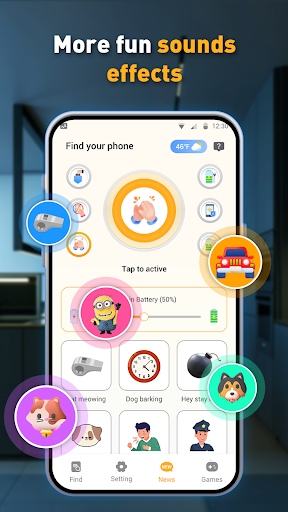
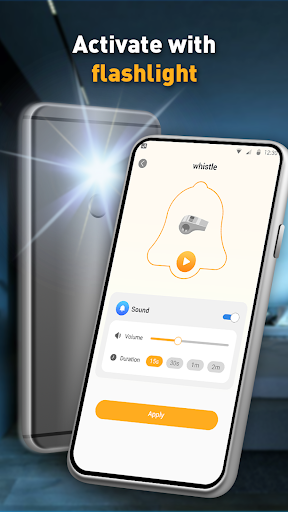
With a simple clap or whistle, your phone rings loudly so you can find it in seconds. When set as your Home App, it continuously protects your device and gives you quick access to all installed apps from one place.
✨ Key Features You’ll Love
🔔 Find My Phone & Anti-Theft (Primary Features)
✅ Clap or Whistle to Find Phone
Lost your phone nearby? Just clap or whistle and your phone responds instantly.
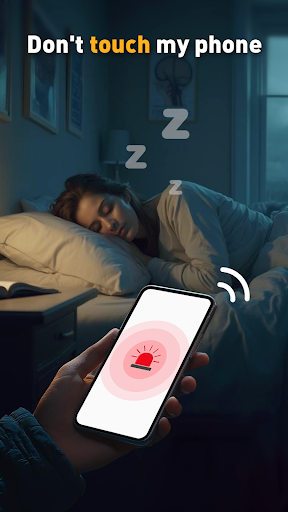
✅ Anti-Theft Alarm Protection
If someone moves or touches your phone without permission, a loud alarm is triggered to protect your device.
✅ Customizable Sensitivity
Adjust sound detection levels to avoid false triggers and match your environment.
✅ Works Offline & Battery-Friendly
No internet required. Lightweight design optimized for daily use.
🏠 Home App / Launcher (Core Function)
✅ Set as Default Home Screen Launcher
Use the app as your Home App to manage and launch all installed applications quickly and securely.
✅ Fast App Access & Organization
View, search, and open your apps directly from the Home screen.
✅ Always-On Protection
Running as a Home App allows continuous anti-theft monitoring and faster response when your phone is moved or lost.
🔐 Why This App Needs App List Access
To function as a Home App (Launcher), Find My Phone – Home App needs permission to display and launch installed applications on your device.
This access is essential for core launcher functionality and is never used for data collection or advertising.
🔥 Why Choose Find My Phone – Home App?
✔ Find your phone in seconds
✔ Protect against theft with instant alarms
✔ Use one app as both anti-theft guard and Home launcher
✔ Simple, secure, and optimized for everyday use
📲 Download Find My Phone – Home App now and stay protected — right from your Home screen!