acre Access Control Mobile
com.feenics.keepmobile
View detailed information for acre Access Control Mobile — ratings, download counts, screenshots, pricing and developer details. See integrated SDKs and related technical data.
Screenshots


Description
The acre Access Control Mobile application allows you to access your Keep information on the go.
You can view the list of people in your instance or search for a specific person by name. You can easily view and edit a person's contact information, badge type, access levels and assigned cards. You can also add new people into your instance and upload their image or take a picture of them using your device camera.
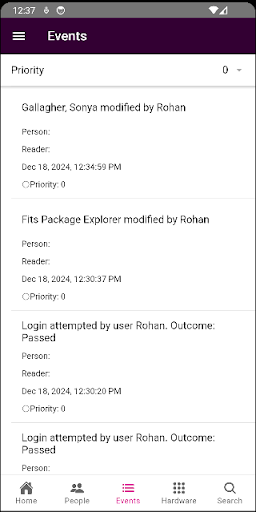
View events on your mobile device to see important events and logs that occurred. Make a person or hardware a favorite of yours to subscribe to events that occur on that hardware. You'll be notified when the event occurs with push notification. With Keep, you can always review the event history at any access point, drill into a specific event, review any special instructions attached to the event, and then add your own acknowledgements, including attaching a photo using your device camera.
All events that you acknowledge using your mobile app are immediately marked as viewed in your Keep Database.
Features:
- LOCKDOWN directly from mobile device
- View your favorite items
- View hardware status and warnings
- View list of people
- Add and delete a person
- View and edit a person's profile and address information
- View and edit a person's access levels
- View and edit a person's assigned cards including PIN setup
- View past events
- View and add acknowledgements to events
- View hardware and hardware events
- Run hardware actions (ex: pulse, activate/deactivate, simulate card read)
- Search for people