Smart Screenshot Capture
com.fancyscreenrecorder.screenshotcapture
View detailed information for Smart Screenshot Capture — ratings, download counts, screenshots, pricing and developer details. See integrated SDKs and related technical data.
Screenshots


Description
Smart Screenshot Capture : Easy Screen Recorder is the best,easiest and simplest way to capture, edit and share your mobile screen as a picture.
In this Smart Screenshot Capture : Easy Screen Recorder app you can take screenshot and also you can record your game play and video call.
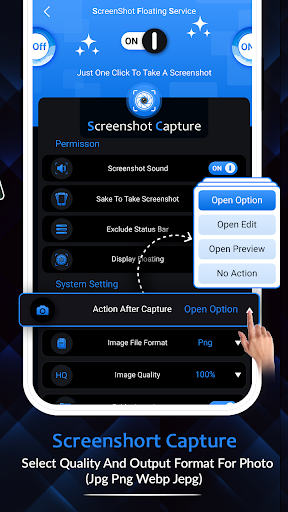
There is a "Floating button" to capture the screen. Floating button/gadget always remain on the top of the screen, so that you can capture easily at any time.
Screen recorder lets you record your screen to HD and Full HD videos. You can also record audio from the mic and it is automatically mixed into the videos.
Main Features
Screenshot Capture
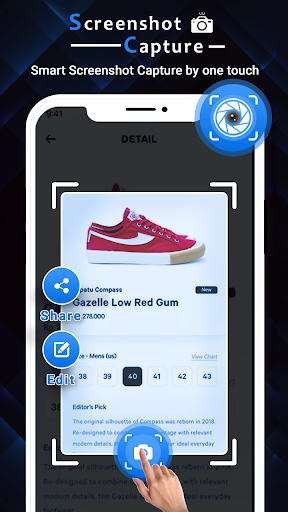
Using this function you can take the screenshot easily with one touch on the screen. You can take screenshot multiple moments in quick succession from video playbacks etc.
You can share screenshot at taken time without any screen open.
Capture high-quality screenshots at fast speed.
Crop screenshot to the desired size.
Screen Recorder
Using this function of Smart Screenshot Capture : Easy Screen Recorder app you can easily record any gameplay , video call or any other moments of your phone.
You can record your video with or without audio.
You can also chnage format , resoution and fps of your video. You can share your video through this app directly.
Record a video without watermark.
Screen Recorder with Facecam
Easy to pause/resume recording, rotate screen
Photo Editior
You can Crop and rotate the screenshot that you taken through appr, round, star, triangle and other shapes.
If you want to hide part from taken screenshot then you can blur the image to cover areas you do not want to show
You can also add stickers and emoji in your image.
Draw anything extra on image to show more detail in screenshots.