ezDevice
com.ezdevice
View detailed information for ezDevice — ratings, download counts, screenshots, pricing and developer details. See integrated SDKs and related technical data.
Screenshots
Description
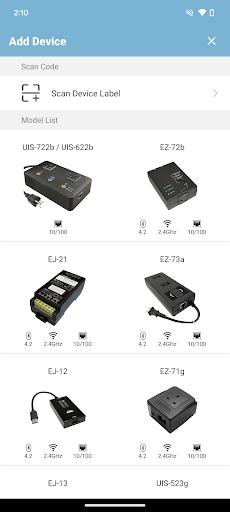
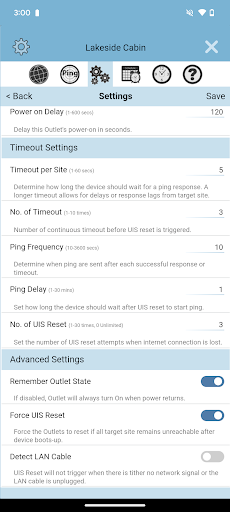
The ezDevice APP is for device with 'UIS (Uninterrupted Internet System)' or 'Auto Reset' function. Currently supported UIS device are: MSNswitch2, ezOutlet5 and ezJack.
Internet users at one time or another have experienced the pains of network loss. Mostly, this is resolved by manually unplugging and re-plug router power to reboot it. This can range from being cumbersome if the device is in a difficult to reach cupboard to a major pain if it involves a long drive to the site.
In comes UIS devices which automatically power-cycle when network failure is detected. This is achieved by connecting the router’s power and LAN to the UIS device and let it monitor internet connectivity. If internet becomes unreachable, it will auto power-cycle the power to router. The majority of internet disconnections can be resolved this way - saving both time, costs and headaches.
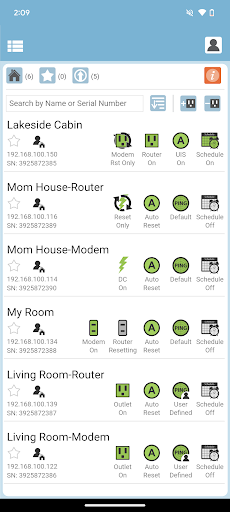
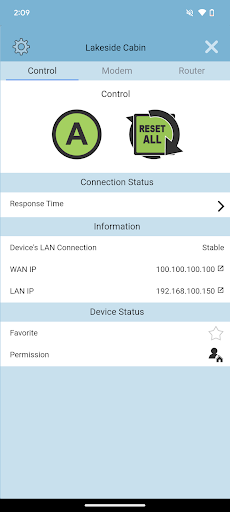
The user can also check on the status and perform a manual reboot via the ezDevice APP to ensure optimal functionality of network devices. UIS devices can also be configured to perform power on, off and reset at scheduled times thru this APP.
Setup in just a few simple steps;
i. Install ezDevice APP and sign up for a free cloud account to centralize and
manage your UIS devices.
ii. Connect power and ethernet to UIS device.
iii. Add UIS device to APP over LAN or WAN.
iv. Enable UIS (Auto Reset) function – done.