Widgets Lite + wallpapers
com.exicast.acvolwidfree
View detailed information for Widgets Lite + wallpapers — ratings, download counts, screenshots, pricing and developer details. See integrated SDKs and related technical data.
Screenshots


Description
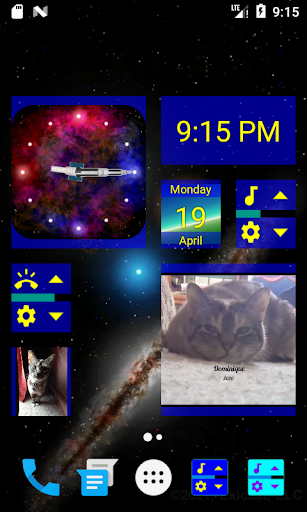
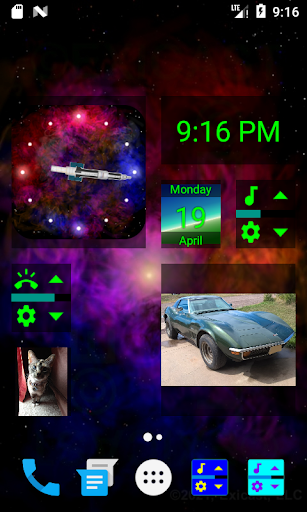
Space wallpaper, and customizable widgets for volume, clock, calendar, pictures, slideshows. Wallpaper version available.
The Lite version includes:
• five small volume widgets(Ringer, Notifications, Alarm, Media, Calls)
• one resizable picture widget
• one 3-image slideshow widget
• one small calendar widget
• a digital clock widget
• analog clock widgets, and (mostly space-themed) wallpapers
The Lite slideshow intervals can be set to Off, 1 hour, or 24 hours.
The Pro version includes:
• five small volume widgets with more options
• four resizable picture widgets
• two resizable 10-image slideshow widgets
• one resizable calendar widget with background picture settings for each month
• a digital clock widget with more options
• a larger selection of analog clock widgets and (mostly space-themed) wallpapers
• the ability to add pictures as Widget backgrounds
• resizable fonts for calendar and clock widgets
The Pro slideshow intervals can be set to Off, 15 minutes, 1 hour, or 24 hours.
Some phones tie Ringer and Notifications into one setting, so both of those widgets may do the same thing on certain phones. Some phones activate 'do-not-disturb' mode when volumes are turned down all the way, and you may be prompted to grant permission to allow the widgets to control do-not-disturb mode. This prompt can be turned off, and permission is not required to use the widgets.
The volume indicator bars on the widgets do not immediately indicate volume adjustments performed by other apps. They are self-correcting and will update upon interacting with the widgets, or by entering the settings and pressing either the green(accept) or red(cancel) button.