Bluetooth Device Lost Found
com.dvg.findlostbtdevices
View detailed information for Bluetooth Device Lost Found — ratings, download counts, screenshots, pricing and developer details. See integrated SDKs and related technical data.
Screenshots
Description
Do you misplace your Bluetooth devices ? Use this app to find & locate your Bluetooth paired devices easily.
To find lost Bluetooth device, it should be paired to your Bluetooth connection.
1) Find Lost Device:
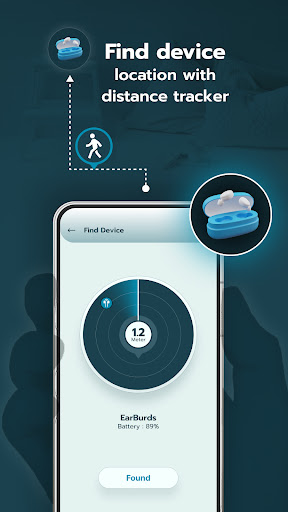
- Find the distance between your Bluetooth device and your phone.
- Simply select the device you want to find and the range meter will update you on the distance.
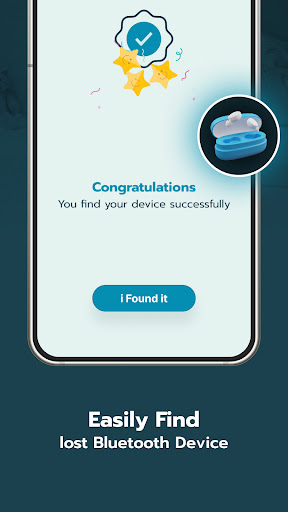
- Once you locate the device, claim it as found.
- This app helps you locate your misplaced Bluetooth paired devices.
2) Auto connect:
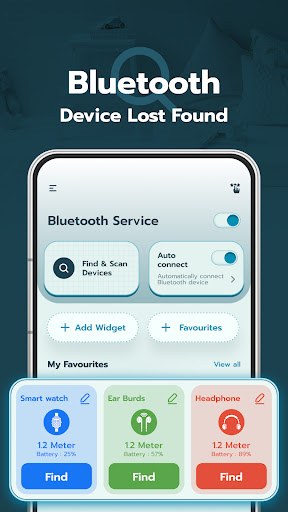
- Users can prioritize devices for auto-connecting via Bluetooth and can also turn the auto-connect feature on or off for improved usability.
3) Add Widget:
- Add a widget to your device's Home Screen to quickly access the devices you frequently use.
- Easily track the battery levels of your connected Bluetooth devices.
- Receive alerts when the battery of a connected device reaches a low level.
4) Favorites:
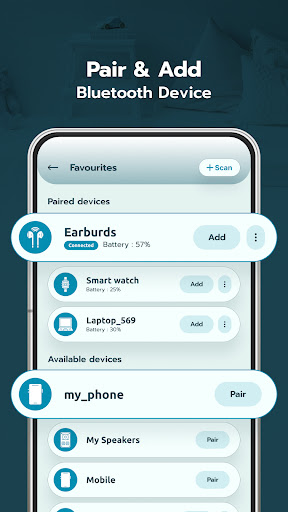
- View a list of your paired devices and add them for quick access.
- Simplify the process of connecting and managing your Bluetooth devices.
5) Scan Devices:
- Easily scan and pair with available Bluetooth devices.
- Explore the list of detected devices and easily search for specific devices by name.
- Sort the devices by signal strength in ascending or descending order for better device management.
6) My Favorites:
- Access all your Bluetooth added devices.
- Customize the home screen by adding pairing devices as cards for quick access.
- Get instant device details and access them directly from the home screen of the app.
- Personalize the appearance of each device card with theme, color and text style options.
7) Add Widget:
- Add a widget to your device's Home Screen to quickly access the devices you frequently use.
- Easily track the battery levels of your connected Bluetooth devices.
- Receive alerts when the battery of a connected device reaches a low level.
Permissions:
1) Nearby Device permission : This permission is required to scan and discover nearby Bluetooth devices and to show the list of available Bluetooth devices.
2) Location permission : This permission is required to find and get the physical location of Bluetooth devices.