Beach on TV via Chromecast
com.dunitiapps.cast.beach
View detailed information for Beach on TV via Chromecast — ratings, download counts, screenshots, pricing and developer details. See integrated SDKs and related technical data.
Screenshots

Description
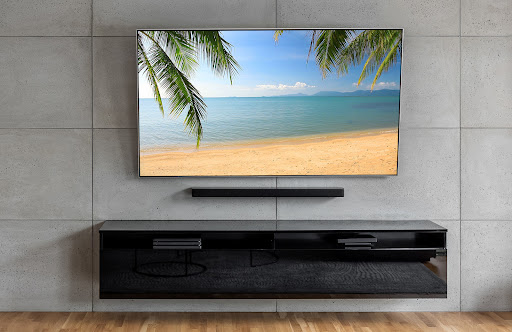
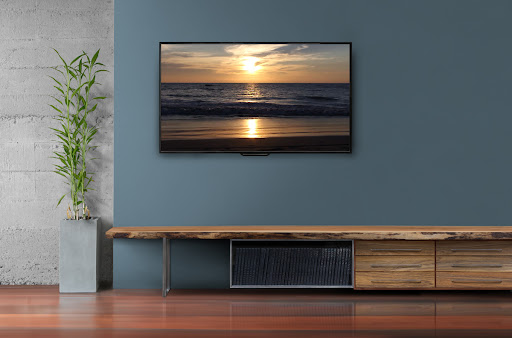
You can see a beach view as the live background for your TV (that has a connected Chromecast or Google TV device). You can select the background with your Android phone or tablet.
The beach views are *not* static images, but are alive and moving.
FEATURES:
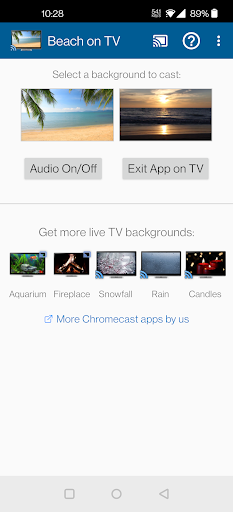
• Cast high quality video backgrounds/live wallpapers to your TV - you can pick from a tropical beach or a beach view at sunset.
• These are not streaming videos and so, do not consume any significant network bandwidth (similar to an offline app).
• You can keep the live backgrounds running for hours without wasting your bandwidth.
• Once loaded, there are no buffering delays while watching the live backgrounds.
• Tap the 'Exit app on TV' button to quit the application on your TV.
• Tap the 'Audio On/Off' button to toggle the audio (beach sound).
• You can use your Android phone or tablet as a controller to change the Chromecast wallpapers on your TV.
• No lags - Just fullscreen beach views on the TV!
The beaches have audio too - you can use your TV's remote (or a Chromecast Remote) to change its volume.
So go ahead, make your TV a window to beautiful beaches! :-)
Some ideas for using the application:
• As a live wallpaper or screensaver for your TV.
• For setting a relaxing mood/environment.
NOTE:
** A Chromecast device (any generation or Chromecast ultra/4k), Chromecast built-in for Android TV, a Google TV device or Chromecast with Google TV is needed to use this casting app. Please install it *only* if you have a Chromecast device, Android TV (with Chromecast built-in) or Google TV **
To use this app, no additional setup is needed through the Google Home or Chromecast Home app. Also, the casting application does not utilise screen mirroring (screencast) and you can continue to use your Android phone or tablet while the TV shows the live background.
If you find any issues, please contact us before giving us a low rating - we would really appreciate it and do our best to fix them! Thanks!