Hourly Do Not Disturb Mode
com.disturbalarm
View detailed information for Hourly Do Not Disturb Mode — ratings, download counts, screenshots, pricing and developer details. See integrated SDKs and related technical data.
- No items.

Screenshots
Description
Set Do Not Disturb so that it doesn't sound when you sleep.
Set Do Not Disturb to turn off in the morning.
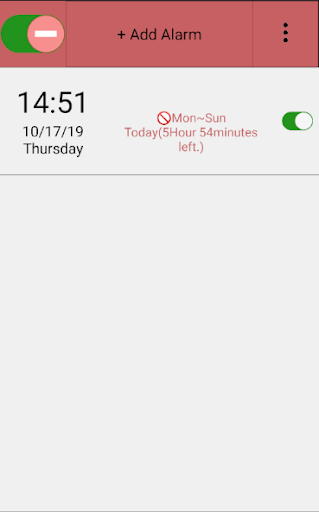
You can add multiple timers to turn on Do Not Disturb at specific times when you need to be quiet.
How to use the app:
Click the + button at the top.
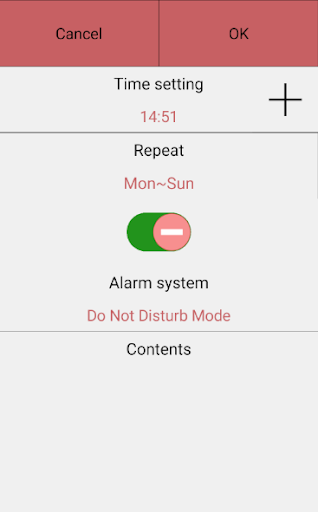
The first line is the time to disable or set the interference mode.
The second line is the date for repeated execution. If set to Monday to Sunday, it repeats every day.
If the button in the third row is inactive, Do Not Disturb mode is disabled, and if the button is activated, Do Not Disturb mode is set. Click the OK button on the top right to add the schedule.