CV Maker - Resume Builder App
com.dev.viet.cvmaker
View detailed information for CV Maker - Resume Builder App — ratings, download counts, screenshots, pricing and developer details. See integrated SDKs and related technical data.
- No items.

Screenshots


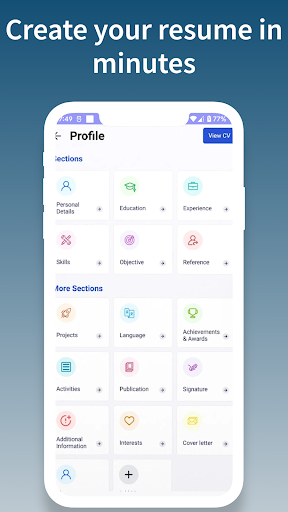
Description
CV Maker - Resume Builder 2024 is an innovative application that helps job seekers create professional and complete resumes with ease. The application offers a range of templates, customization options, and editing tools to create the perfect resume.
Features:
Templates: A variety of templates are available to choose from, making it easy for users to find one that suits their needs.
Customization: Users can personalize their resumes with their own information, including work experience, education, skills, and more.
Editing: The application provides a range of editing tools to help users refine and perfect their resumes.
Automatic improvement suggestions: CV Maker - Resume Builder 2024 offers suggestions for improvement to help users write an effective and impressive resume.
Download PDF: The PDF Download function in the CV Maker - Resume Builder 2024 allows users to create and store their resume as a PDF file. It allows users to print or share their profiles easily and professionally. PDF profiles can be shared via email or other social media channels like LinkedIn or Facebook. This function helps users to convey information about their experiences, skills and activities easily and efficiently.
Instructions:
To use CV Maker - Resume Builder 2024, follow these simple steps:
Choose a template that matches your career field and personal style.
Fill in your personal information, including work experience, education, skills, and other relevant details.
Use the editing tools to refine and perfect your resume.
Preview and download your resume in PDF or Word format.
Highlights:
Intuitive user interface: CV Maker - Resume Builder 2024 has a user-friendly interface that makes it easy for users to navigate and create their resumes.
Time-saving: The application saves users time by automating many of the tasks involved in creating a resume.
Professional output: CV Maker - Resume Builder 2024 produces resumes that are professional, complete, and ready to impress potential employers.
Links to resources:
CV Maker - Resume Builder 2024 also provides links to useful resources, including articles on resume writing, sample resumes, and reference materials.