Colorful Sticky Notes + Widget
com.dev.stickynoteswidget
View detailed information for Colorful Sticky Notes + Widget — ratings, download counts, screenshots, pricing and developer details. See integrated SDKs and related technical data.
- No items.

Screenshots

Description
Quickly capture your thoughts with a single tap or use interactive widgets on your home screen. Customize background and text colors, format your text with multiple sizes and styles, and organize your notes effortlessly.
Key Features:
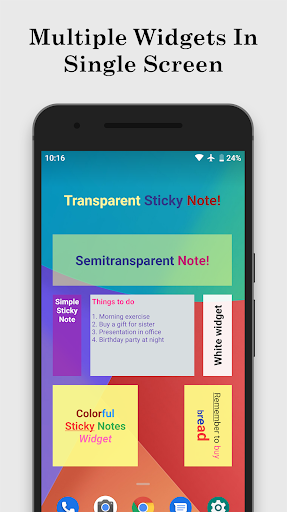
✓ Resizable Widgets – Add widgets of any size to your home screen to fit your layout perfectly.
✓ Custom Backgrounds – Choose from a wide range of colors and adjust transparency from 0% to 100%.
✓ Multiple Notes per Widget – Each widget can contain multiple entries, each with its own style.
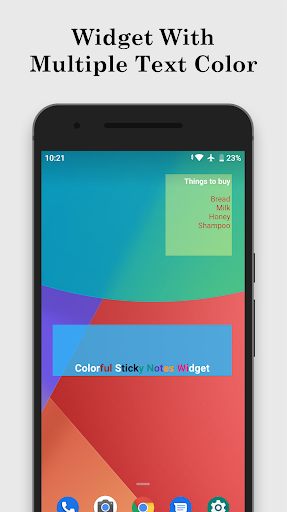
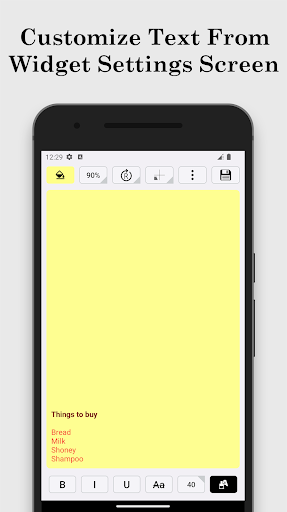
✓ Rich Text Options – Apply different text sizes and colors, and format text with bold, italic, underline, or strikethrough within the same note.
✓ Text Alignment & Rotation – Set text gravity and rotate text to match your preferred layout.
✓ Quick Notes – Create notes instantly with a single tap, without needing to place a widget.
✓ Search Notes – Quickly find any note, even among many entries.
✓ Sort Notes – Organize your notes by note text, date created, or date modified for easy access.
How to add a widget:
Long-press a free space on your home screen → select Widgets → choose Colorful Sticky Notes.
Permissions:
Internet access is required solely for displaying ads. Upgrade to the Pro version to remove ads.
To remove ads, upgrade to the pro version.