DTNA eLink
com.daimlertrucksnorthamerica.DTNAeLink
View detailed information for DTNA eLink — ratings, download counts, screenshots, pricing and developer details. See integrated SDKs and related technical data.
- No items.
Screenshots

Description
DTNA eLink is an app that provides important features to the driver/operator of a Freightliner or Western Star heavy truck. These features help the driver connect the phone to the diagnostic port and monitor the vehicle health status and increase the truck uptime. And if a check engine light is on, the app can help the driver understand the cause and seek assistance, if needed.
Features include:
• Vehicle Guides
• Dash light library – explanation of all the dash/instrument cluster lights
• Fluid (engine oil) capacities for specific Detroit® engine applications
• Maintenance schedule – provides the mileage interval based on short/long haul application and details of items covered in each schedule
• Feature guides – quick access to new vehicle features that require specific instructions to understand and properly operate
• Notes – provides a way to take quick notes and attach pictures
• Manuals – Driver and Operator manuals for specific vehicles can be accessed in electronic format
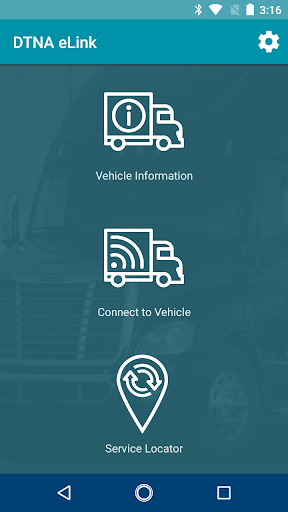
• Connect to Vehicle (requires compatible Bluetooth or Wi-Fi adaptor)
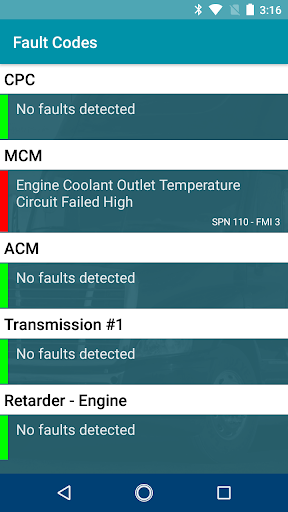
• Fault codes – Active and Inactive fault codes present at the time of connection are displayed. Red fault codes are active, yellow codes are inactive
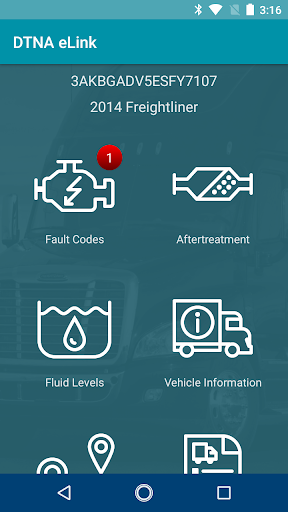
• Fluid levels – A quick glance at coolant, DEF and fuel levels displayed in percentage
• Vehicle information – Vehicle information including VIN, ECU software and hardware in formation
• Trip information – Includes trip specific information related to fuel usage, miles, maximum speed, cruise control speed, hours of operation, etc
• Service Locator – Use the current location or City, State / ZIP code to look up Freightliner, Western Star and Detroit® engine service/dealer locations nearby.
Compatible vehicle connection adaptor:
• NEXIQ Blue-Link™ Mini
• NEXIQ USB- Link 2 WiFi
These adaptors are available and can be purchased from diagnosticlink.nexiq.com