Low Brightness for Android
com.d4rk.lowbrightness
View detailed information for Low Brightness for Android — ratings, download counts, screenshots, pricing and developer details. See integrated SDKs and related technical data.

Screenshots


Description
Low Brightness for Android
Low Brightness is a lightweight Android app that lets you dim your screen below the system minimum—perfect for using your phone in the dark without straining your eyes. Whether you're in a pitch-black room or outside at night, this app helps you reduce brightness to the level that feels just right.
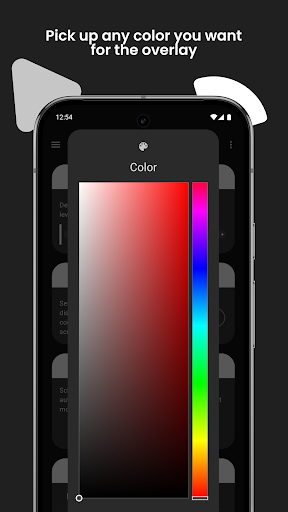
Customize everything with ease: choose the dimming color, adjust the opacity, or schedule automatic activation. No root required. No internet needed. Just a clean, fast, Material You–inspired interface.
Our app is designed to be simple and easy to use, while also being fast and lightweight. Plus, it's free and open-source software!
Features
• Dim the screen below Android’s minimum brightness
• Customize the filter color and intensity
• Quick toggle from the Quick Settings tile
• Set up auto-dimming schedules
• Minimal permissions, no internet required
• Lightweight and battery-friendly
• Built with Material You for a modern look
Benefits
• Reduce eye strain in dark environments
• Extend battery life on OLED screens
• Control brightness with one tap
• Works with any app, anytime
• Enjoy a consistent, seamless UI
How it works
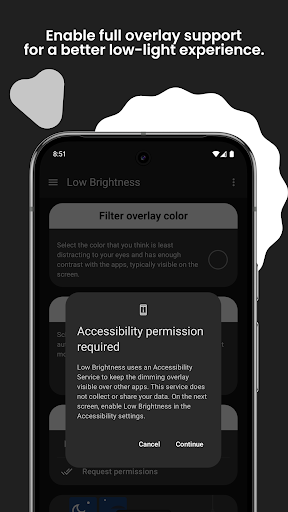
Just add the Night Screen tile to Quick Settings, grant the needed permissions, and tap it whenever you want to dim the display. Adjust the slider for brightness or pick your favorite overlay color. You can also set a schedule to activate dimming automatically.
Accessibility disclosure
Low Brightness uses the AccessibilityService API only to keep the dimming overlay visible over other apps while you reduce the brightness. The service does not log or share any personal data and you may disable it at any time in system settings.
Get started today
Download Low Brightness on Google Play and fine-tune your screen in seconds. It’s free, easy, and designed for comfortable viewing.
Feedback
Your feedback keeps us improving. If you have suggestions or spot any issues, let us know in a review or through GitHub. When rating low, please include details so we can fix any problem.
Thank you for trying Low Brightness! We appreciate your support and hope it helps you enjoy your device even more.