TapBoost - Auto Clicker
com.cwjo.tapboost
View detailed information for TapBoost - Auto Clicker — ratings, download counts, screenshots, pricing and developer details. See integrated SDKs and related technical data.
- No items.

Screenshots

Description
🔥 Completely Automated with No Ads! Smart Auto Clicker App – TapBoost
TapBoost is a powerful auto clicker that combines click + drag actions
to fully automate even the most complex touch operations.
✅ Watch just one ad –
After that, enjoy unlimited use with zero ads!
✨ TapBoost Highlights
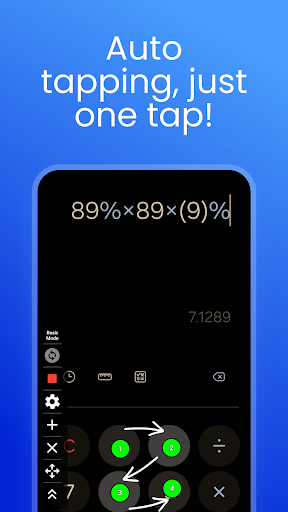
🔘 Click Automation
Automatically taps designated spots repeatedly.
Perfect for games, app UI testing, skipping ads, and more.
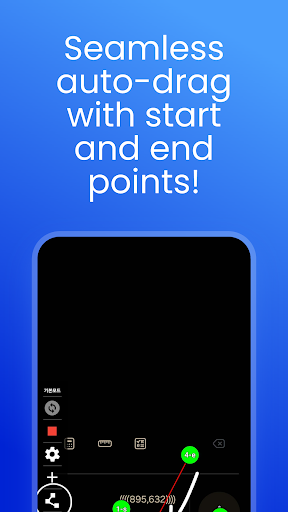
🔄 Drag Automation
Simulate drag gestures between two points.
Ideal for swipe, scroll, and sliding motions.
🧩 Click + Drag Sequences (Scenario Automation)
Combine clicks and drags in order to automate complex workflows.
Example: Tap button → drag down → tap again...
Easily automate repetitive routines in just a few steps.
🎨 Customizable Cursor
Adjust the cursor's color and size to suit your style and visibility needs.
🕒 Precise Timing Settings
Freely configure click speed, repeat count, and delays for full control.
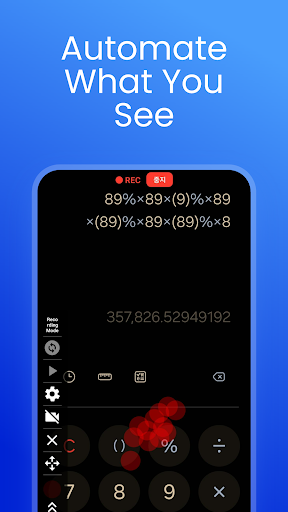
🎬 Touch Recording Mode (REC)
Record your touch actions and replay them automatically.
No need to repeat tasks manually — record once and let TapBoost handle the rest.
🧭 Auto-Restore Cursor Position
Your cursor settings and automation scenarios are saved,
even if the app is closed.
📱 Floating Control Panel
Access Start / Stop / Settings from a persistent overlay UI
anytime, anywhere on your screen.
🛡️ Detection Avoidance Feature
TapBoost is designed to minimize interference from systems that detect automation tools in certain games or apps.
It performs automatic clicks in a safer and more natural way.
🔒 Accessibility & Foreground Service Permissions Notice
TapBoost uses Android’s Accessibility Service (API) to simulate click and drag gestures, and also requires Foreground Service permission to run reliably in the background.
These permissions are essential for the app’s automation features and do not involve collecting or storing any personal data.
You can use TapBoost safely and conveniently with these permissions enabled.
🎉 Install TapBoost now and
automate even the most complicated touch actions with ease!
“If you're looking for a click + drag automation tool, TapBoost is the answer.”