No Crop Photo: Picture Resizer
com.crocphoto.no.crop
View detailed information for No Crop Photo: Picture Resizer — ratings, download counts, screenshots, pricing and developer details. See integrated SDKs and related technical data.

Screenshots

Description
Have you been looking for a long time for how to correctly fit your photos in different formats?
CrocPhoto is the best choice for doing that simple!
CrocPhoto can:
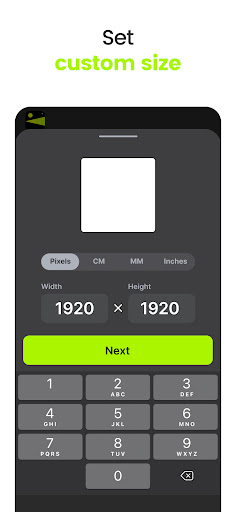
- Resize your image in any format easily; it doesn't matter if it's 1:1 (square) or 16:9. Choose from popular ones, such as Instagram posts, stories, ig reels, Facebook posts, covers, Twitter posts, or set your own size in pixels (define any aspect ratio). Wallpaper format for your phone is also here.
- Apply Fit (No Crop) or Fill mode.
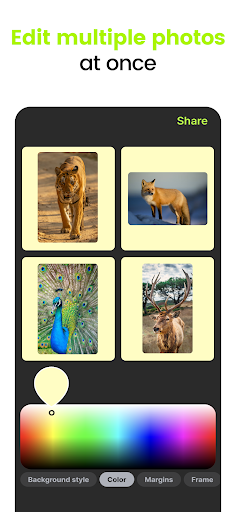
- Automatically selects the best color and gradient for the background. Also you can pick the ones you like from the palette. Or even put a transparent background.
- Put the picture in the background and blur it.
- Add a frame if necessary, of course, any color. It's easy to add white border to photo.
- Round the edges of the photo.
- Add fade filter and get beautiful effect.
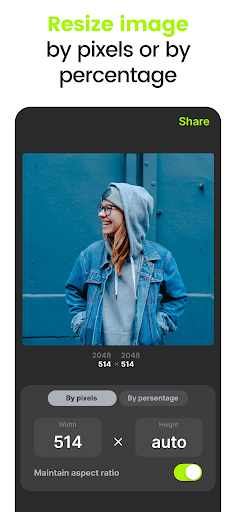
- Reduce picture size by cropping background. Or shrink the size in pixels.
- Put text on the top of your image.
- Add watermark (text or image) to protect your content.
- Add date stamp.
- Edit multiple photos at once (batch/bulk edit).
- Save your edits as a template.
How it works:
- Choose one of the existing popular formats or convert to own size.
- Import your photo (or multiple photos) from gallery.
- Select the style of filling background. Choose between: color fill, gradient fill, fade, blur photo or stylish pattern.
- Apply fine tuning: move, rotate or zoom photo. Add frame/border, fade edges, adjust blur level...
- Save the photo to gallery or share it on social networks (Insta/Facebook/Twitter), and become popular.
Butch no crop edit and bulk resize are available in PRO version.
Also you can protect your content with watermark tool in PRO version.
--
Have a feature request you would like to see in a future version of the app? Do not hesitate to contact info@crocphoto.com