토지이음
com.coops.LandUseControlSystem
View detailed information for 토지이음 — ratings, download counts, screenshots, pricing and developer details. See integrated SDKs and related technical data.
Screenshots

Description
[Main function description]
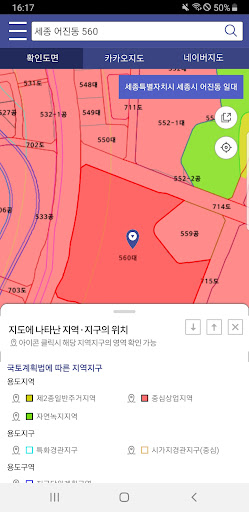
Map service: You can check the status and scope of regional district designation by location by moving the map.
Additionally, you can compare it with 2D and satellite maps from private maps (Naver, Daum).
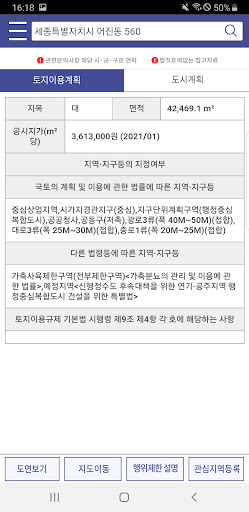
Land use plan: You can view land use plans and regulations by parcel number and view confirmation drawings.
Urban planning: You can check urban planning facilities and district-level planning areas on the map.
View changes in areas of interest: When registering areas of interest, you can check the latest notification information for the relevant administrative district and participate in listening to residents' opinions.
You can also use the notice information and glossary provided on the Land Joint website (http://www.eum.go.kr) on the mobile app.
※ Inquiries about mobile app installation and use: 02-838-4405 (Weekdays 09:00~18:00, Lunch time 12:00~13:00)
※ Access permission information
[Optional access rights]
- Telephone: Used to provide information on changes to areas of interest
- Location: Used to move to the current location on the map
- Notification: Used for notification service of notification of areas of interest and listening to residents’ opinions.
* Even if you do not agree to the optional access rights, you can use services other than those that require the functions of the rights.
* You can adjust permission settings and cancellation in the Phone Settings > Applications > Land Connection > Permissions menu.