One Jotter - Notes & Journal
com.colanotes.android
View detailed information for One Jotter - Notes & Journal — ratings, download counts, screenshots, pricing and developer details. See integrated SDKs and related technical data.
- No items.

Screenshots

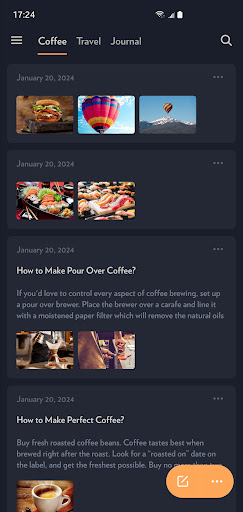


Description
One Jotter is an easy-to-use notebook and notepad app perfect for taking notes and recording ideas. It helps you stay organized and improve your work and study efficiency.
One Jotter can be used as a plain text editor or can save notes in RTF format. It also supports writing and previewing in Markdown (CommonMark) format.
### ORGANIZE NOTES
• Organize your notes with folders and tags
• Favorite notes to find them quickly
• Link related notes to one another
### KEY FEATURES
• Search, print, merge and synchronize notes
• Backup & restore notes
• Import & export notes
• Edit & preview notes in Markdown mode
• Convert notes between Markdown and RTF
### EXTENDED KEYBOARD
• Attach photos, videos and audio files
• Insert web & note link
• Sketch
• Headings (H1, H2, H3)
• Horizontal rule
• Bulleted list
• Numbered list
• Checklist
• Block quote
• Inline code
• Code block
• Bold, italic, underline, strikethrough
• Undo & redo and more...
### CLOUND STORAGE
Supports data synchronization using Google Drive, Dropbox, Microsoft OneDrive, WebDAV Server, etc. Your data only exists on your own device or synchronized cloud disk, under your control, and no one will see it.
### EXPORT NOTES
You can save your notes in TXT, PDF, JPEG, EPUB, HTML, Markdown formats, or share them as note cards.
One Jotter is FREE to use forever with unlimited notes. Join One Jotter membership to get all features, including unlimited documents, photos, videos, audio, biometric unlock notes and more.
Privacy Policy
https://onejotter.com/privacy_policy.html
Terms of Use
https://onejotter.com/terms_of_use.html
We will release updates regularly and always strive to provide a better application, if you hava any issues, please email us at cocoastudio@outlook.com for help.