Background Changer - Auto Cut
com.ck.ai.background.autocut.erase
View detailed information for Background Changer - Auto Cut — ratings, download counts, screenshots, pricing and developer details. See integrated SDKs and related technical data.

Screenshots


Description
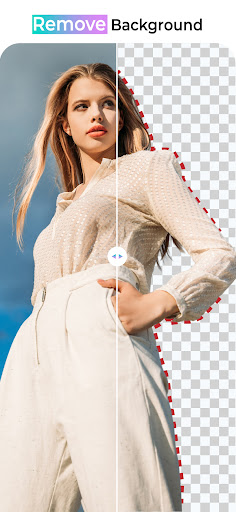
Auto cut-out background eraser with AI technology and professional photo editor with frames, effects, and stickers. Background remover will allow its user to remove or change the image or object background. After adding the background of your choice you can polish your picture with professional background photo editing tools.
Features of Auto Background Eraser:
- Fast Auto Cut Out
- Background Remover with Human detection
- Background Remover with Object detection
- Add neon and Bookeh effects to your photo
- Add Text with stylish fonts
- Special Light Effects and Frames
- Add attractive backgrounds
- Online search of unlimited HD backgrounds
- Magical bg changer and eraser
- Automatic background changer
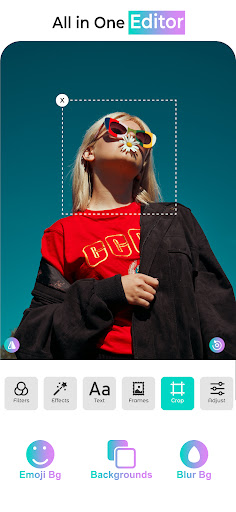
- Emoji background changer
- Blur background
- crop, rotate images in both vertical and horizontal direction
- draggable and zoomable png image to adjust it on background
- unlimited background images (Forest, Mountain, Waterfall, etc)
- Professional photo editor tools (contrast, Heu, saturation, adjustments, etc)
- Add awesome borders and gradient color backgrounds
How to use Auto Cut Out Background Changer:
Select an image or object from Gallery or Camera and apply the background removing feature to it. Apply HD backgrounds or Emoji or blur backgrounds. You can search HD backgrounds from online search and use it as background of your photo. Add frame, border, and sticker to it to make it more memorable. You can adjust image brightness, hue, contrast, and much more. Instantly share edited pictures with friends and family. Let’s polish your picture as a pro editor with help of these AI-based photo editing tools.
Premium Features of Background Changer:
- Ads Free Version of Bg changer
- Unlock all items (Backgrounds, Stickers, Effects, Frames)
- Enable Pro Features (New / Old)
Enjoy your time while doing photo editing with your favorite Background changer app.