디북 - 올인원 문제집 앱
com.cjtext.drb.dbookpdf
View detailed information for 디북 - 올인원 문제집 앱 — ratings, download counts, screenshots, pricing and developer details. See integrated SDKs and related technical data.

Screenshots



Description
Will be your reliable study companion
Dbook service has been opened. (✿˵•́ᴗ•̀˵)
The lightest workbook in the world
Carry only one ‘Dbook’!
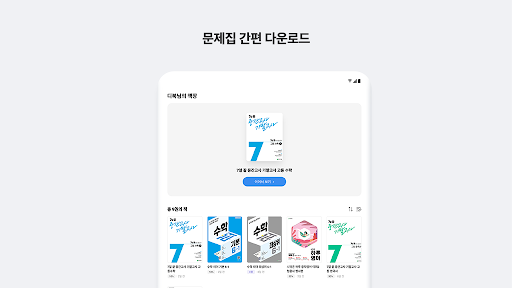
1) Easy download of workbook
• You can download and study the workbook you want on your smart device.
2) Provision of writing service
• Take notes directly in the workbook using a variety of pens.
3) Problem & Explanation screen split function
• Explanation that will make you curious as you solve the problem! Study by viewing problems and explanations together using the screen split function.
4) More than 400 elementary/middle/high school workbooks included
• Access Genius Education’s popular textbooks right away.
• Contains the elementary school honor student solution series, math leader series, middle school check-check series, and high school selfie series.
Textbooks will continue to be added in the future.
An all-in-one workbook dbook that contains everything in one app,
Study lightly with just one dbook today :)
thank you
※ Access permission information
[Optional access rights]
-Storage space: Used when opening files to be included in my bookshelf or my PDF
- Notifications: Used to receive notifications of new messages
※ The Dbook app can be installed in Android OS 8.0 or higher. For versions lower than Android 6.0, the app cannot run properly, so we recommend checking whether the operating system of the terminal can be upgraded and upgrading.
[How to withdraw access permission consent]
- Settings > Application > DB > Application Settings > Select permissions > Select Allow or Deny
- Settings > Applications > ‘︙’ > Permission Manager > Select the relevant access rights > Select the app > Select Allow or Deny