Chong Hing Mobile Banking
com.chbank.softtoken
View detailed information for Chong Hing Mobile Banking — ratings, download counts, screenshots, pricing and developer details. See integrated SDKs and related technical data.

Screenshots


Description
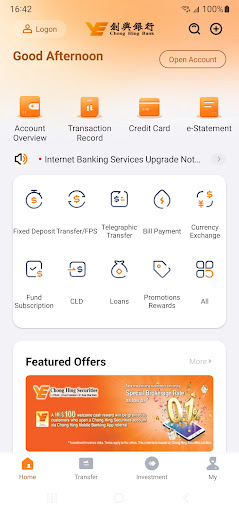
You can manage your day-to-day banking transactions and keep abreast of the latest financial information via Chong Hing Mobile Banking anytime, anywhere. Download Now!
Scope of Service
Account Balance Enquiry
• The latest account* balance
• Up to 90 days' transaction history
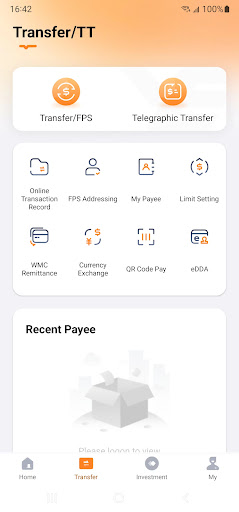
Fund Transfer
• Transfer funds to self-name or registered* third party account in HKD within Chong Hing Bank
• Transfer funds to any registered* self-name account(s) of other banks or third party account(s) via "Electronic Clearing Service" or "Clearing House Automated Transfer System" ("CHATS")
• Foreign currency exchange
• Faster Payment System
Bill Payment
• Pay registered* bills
Fixed Deposit
• Place or renew fixed deposit, view account balance and change maturity instruction
Investment
• Referral for “Chong Hing Securities Limited” account opening
• Perform fund subscription, switching and redemption
• Fund performance monthly report
• Investment account opening
• Investment profile questionnaire
• Enquiry of investment account transaction record
Loans
• Apply for a personal loan or a mortgage loan
Interest / Exchange Rate Enquiry
• Deposit interest rates and foreign exchange rates
Change Password
• Change password directly with mobile devices after logging in to the Mobile Banking Services
Overseas ATM Transaction Setting
• Activate or amend overseas ATM transaction setting with mobile devices after logging in to the Mobile Banking Services
^ Service scope does not include high risk transactions (e.g. fund transfer to unregistered third party account and paying unregistered bill).
* Registered accounts and bills in Internet Banking Services will be automatically registered in Mobile Banking Services.
For details, please visit: http://www.chbank.com/en/personal/digital-services/mobile-apps/new-services/index.shtml
Customer Services Hotline: (852) 3768 6888
Hotline Service Hours (GMT+8): Mon - Fri : 9:00 am - 6:00 pm , Sat : 9:00 am - 1:00 pm