MyCapacity
com.cegeka.mycapacity
View detailed information for MyCapacity — ratings, download counts, screenshots, pricing and developer details. See integrated SDKs and related technical data.

Screenshots

Description
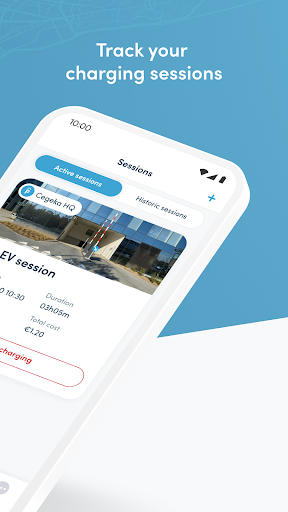
The MyCapacity app enables authorised users to start and stop EV charging sessions and securely enter their parking location. The app works for all the locations that you as a driver have access to.
ONBOARDING
MyCapacity gives you the option to start and stop EV charging sessions for locations where your organisation authorises you to charge. Follow these four simple steps:
1. Your organisation will register you in Capacity
2. You will receive a one time password by mail
3. Download the MyCapacity app
4. Use the credentials from the email, in the login screen and provide your own password.
EV CHARGING
When you are at a mobility hub where you can use the EV chargers follow the next four steps:
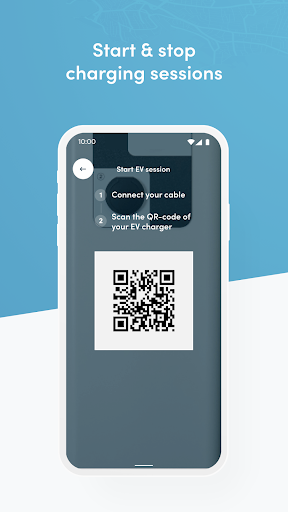
1. Plug in your car
2. Open the app and click on start session
3. Scan the QR code of the corresponding charging station
4. Your car will start charging, and you can stop it whenever you want by clicking the stop charging button
HARDWARE CONTROLS
MyCapacity gives you the option to securely control gates, barriers and doors (requires installation and configuration of Capacity hardware and the smart parking platform). The app gives you to option to remotely grant you access.
- Open the gate / barrier whenever your license plate is not recognised by the ANPR cameras (for example because of heavy rain or snow) with only a tap on a button in the app
- Open the gate / barrier / door without a physical key / badge
- Contact customer support in case of problems
HOW IT WORKS
When your parking location is equipped with the required hardware and software configuration, and your organization administrator registers you in Capacity, you will receive an email with one time password for the app. After logging in to the app and setting your own password, you have the possibility to securily control the access to your parking location(s).
The app only works when you are physically close enough to your parking location. When you are not close enough, the app will inform you.
NOTE: Please contact support.capacity@cegeka.com for more information.