Rotation Control
com.cast4tv.rotation.control
View detailed information for Rotation Control — ratings, download counts, screenshots, pricing and developer details. See integrated SDKs and related technical data.
- No items.
Screenshots

Description
* Why need control rotation?
I want to watch movie in the bed, but the screen may rotate because I didn't hold the phone vertically.
I want to use the phone in the dock vertically, but the charging port will be blocked and cannot be charged.
So, I want to control screen to fix a fit orientation.
* How to control rotation?
Using the Control Rotation app, You can control screen orientation easily.
* What is the Control Rotation app?
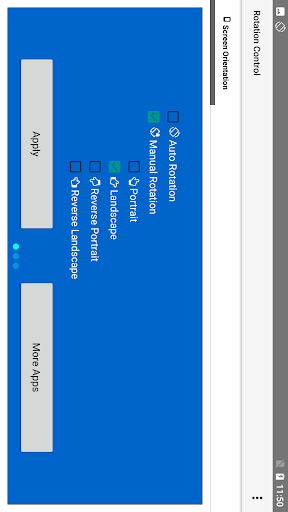
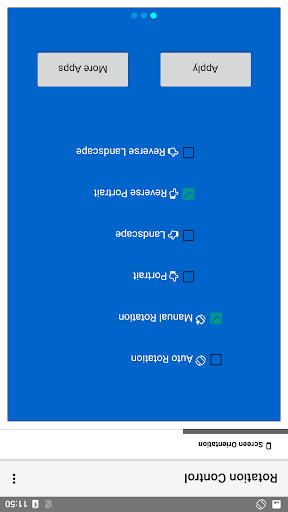
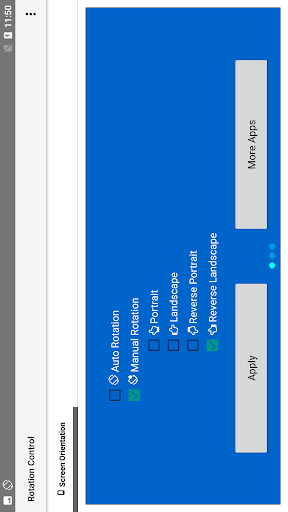
There are following rotation modes in the Control Rotation app.
- Auto Rotation: screen rotation is determined by a physical orientation sensor.
- Manual Rotation: screen orientation is determined by a user control.
1. Portrait: the screen is in a portrait orientation.
2. Portrait (Reverse): the screen is in a portrait orientation; the opposite direction from normal portrait.
3. Landscape: the screen is in a landscape orientation.
4. Landscape (Reverse): the screen is in a landscape orientation; the opposite direction from normal landscape.
* Can the App control any application rotation?
No. The App can only control application with the multi-orientation.