Radio Serbia Live station
com.bokili.radio.srbija
View detailed information for Radio Serbia Live station — ratings, download counts, screenshots, pricing and developer details. See integrated SDKs and related technical data.
Screenshots

Description
✅ All radio stations in Serbia (over 450 radio stations)
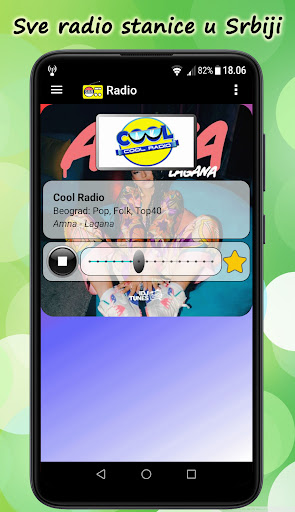
✅ Information about the name of the song
✅ Showing the album cover of the song
✅ Control of all types of headphones is supported
✅ Timed shutdown of the radio (timer)
✅ Timed switching on of the radio (alarm)
✅ Working in the background
✅ Easy navigation
✅ Different languages
✅ Smartly generate listening history
✅ Automatic reconnection during interruption
✅ Daily updating of the radio station database
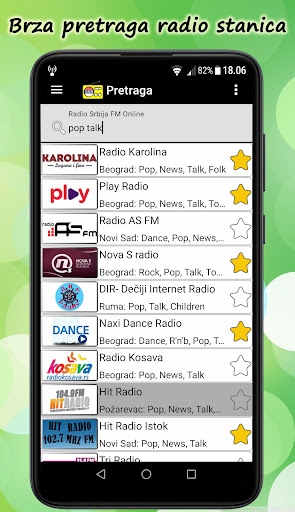
✅ Unified search of all radio stations
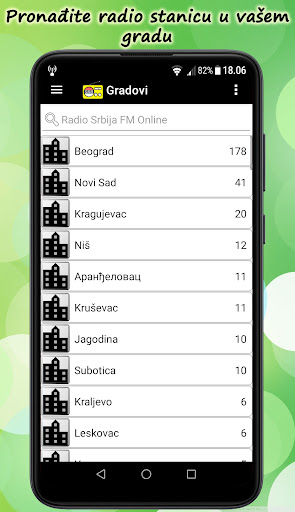
✅ Overview of grouped radio stations by cities
✅ Overview of grouped radio stations by music genres
✅ Supported night theme (Dark Mode)
Listen to the radio on your phone while performing other activities.
Download, try and rate the app with 🌟🌟🌟🌟🌟
Details:
You need Internet access to listen to radio stations.
Quick access to navigation:
- Dragging the screen from left to right
- Click on the navigation menu button (top-left)
- Click on the Toolbar (application icon or text)
Search for radio stations by name, city, frequency and / or music genre through a detailed search.
Radio stations are grouped by cities. Select the desired city from which your radio station is broadcast.
Radio stations are also grouped by music genre. Select the desired music genre.
Add your radio station to your favorites by clicking on the star.
Access your favorite radio stations from the navigation.
When you start the radio, the name of the music track or the content of the selected radio will be displayed on the main screen.
Within the history is your chronological list of the last 60 listened radio stations, which is automatically generated so that the radio stations are not repeated.
Long click on a radio station from the list - you will see the details of that radio station.
Note:
Some radio stations are limited by the maximum number of listeners, and sometimes their servers are down.
Recommendation: Try again later.