Fake call screen maker
com.bhanu.fakecallfree
View detailed information for Fake call screen maker — ratings, download counts, screenshots, pricing and developer details. See integrated SDKs and related technical data.
- No items.

Screenshots



Description
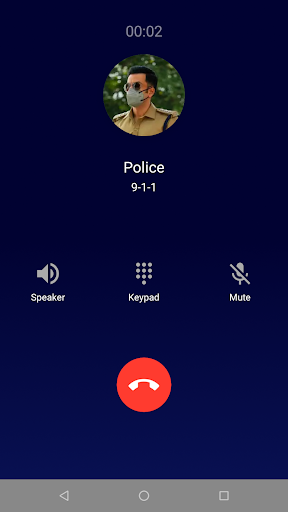
Fake call app simulates a fake call incoming call screen to safely get out of the situations such as annoying conversations, boring meetings etc.
Fake call app makes dummy call to your phone without actually being called with call screen you choose with phone number and caller name you set.
Get out of the annoying situations or prank friends by give yourself a fake call.
Its very easy to set fake call:
Caller option allows you to choose different predefined caller screens with phone numbers and caller names.
then tap on call now option and you will receive dummy incoming call from caller you have configured.
You can also schedule incoming calls, please note that this are not real call, its just a incoming call screen simulator.
Features:
Set fake call incoming screen.
Choose predefined callers from the list. or create your own call screen, enter name, phone number and image from your photo gallery.
Choose a predefined profiles such as police, doctor, girlfriend, boyfriend etc.
Choose from your contacts.
Set a ringtone or use the default ringtone.
Record audio for caller voice.
Choose from multiple incoming call screen themes
Note: fake call app does not have a real incoming call feature - it just a incoming call screen simulator.
The fake call won't charge you any fee, it is totally FREE.
Permissions:
Storage: To choose caller photos from gallery.
Record Audio: Recording caller voice for prank.
Read Contacts: To set caller from existing saved contacts.
Overlay: From android 10 onward app need overlay permission to start activity from background service, and hence Schedule prank call option need this permission.
Thank you for trying our app, please email us at yogi.306@gmail.com for your suggestion, feedback and questions or complaints if any.
We are really happy to know your feedback and suggestion that helps us to improve app.