BCT App
com.bct.app
View detailed information for BCT App — ratings, download counts, screenshots, pricing and developer details. See integrated SDKs and related technical data.
- No items.

Screenshots


Description
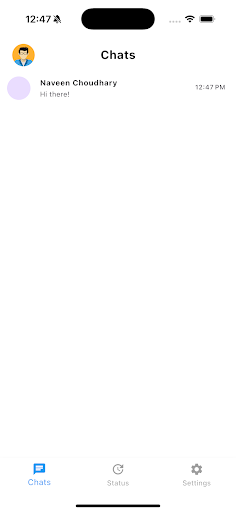
BCT is a fast, reliable team inbox that brings customer conversations, agent assignments, and message templates into one place. Built for support, sales, and operations teams, BCT helps you respond faster, stay organized, and measure what matters—without messy handoffs or missed messages.
What you can do
Real-time chat: Send and receive messages instantly with a clean, familiar UI.
Assignments & routing: Auto/Manual assign conversations to the right agent; track status (active, assigned, closed, expired).
Message templates: Use pre-approved templates with parameters for quick, consistent replies.
Attachments: Share images, documents, and voice notes with preview and captions.
Notifications: Get timely alerts so important messages never slip through.
Agent productivity: View live stats and workloads; update availability in one tap.
Search & filters: Find conversations by customer, status, or date.
Admin controls: Manage teams, roles, and workspace settings (organization plan required).
Analytics (workspace): Monitor response times, volumes, and agent performance.
Built for teams
Whether you’re a startup or a growing business, BCT keeps your customer communication centralized and accountable—so anyone can jump in with full context.
Privacy & security
We respect your privacy. BCT collects only what’s needed to provide the service and does not sell your data. Messages are transmitted securely; access is role-based and controlled by your workspace admin.
Permissions used (optional where possible):
Notifications: Deliver alerts for new messages and assignments.
Camera/Photos/Files: Capture or attach media you choose to send.
Microphone: Record and send voice notes (only when you tap record).
Location (optional): Add location to a conversation if your workflow requires it.
Contacts (optional): Invite teammates when you choose to import.
You can change permissions anytime in your device settings.