Sakuku
com.bca.sakuku
View detailed information for Sakuku — ratings, download counts, screenshots, pricing and developer details. See integrated SDKs and related technical data.

Screenshots



Description
Make Your Hangout More All-out with Sakuku!
Sakuku is an electronic money service for payments, mobile top ups, and other banking transactions—all from the convenience of a smartphone app.
Get all the benefits Sakuku has to offer!
- Easy, the Customer can use Sakuku simply by downloading the Sakuku application.
- Practical, the cell phone number is used as the Sakuku number.
- Free: no monthly admin fee
All transactions in Sakuku will only be accessible to users who have activated Sakuku Plus. With Sakuku, customers can perform the following transactions:
- Top Up with the source of funds form a BCA account through BCA ATM, KlikBCA Individual, BCA mobile and myBCA
- Top Up with the source of funds form Another Bank
- Shopping payments at physical merchants/stores (using QRIS) or online/website merchants
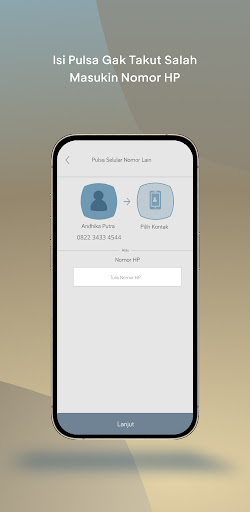
- Recharge/Data Packages (my number, other numbers, and requests)
- Sakuku Transfer (send and request transfers to fellow Sakuku users)
- BCA Transfer (send funds to BCA account)
- Split Bill (share bills to fellow Sakuku users)
- Cash Withdrawal at BCA ATMs
- Cash Top Up at BCA ATMs
- Balance Info
- Transaction Mutation
- Settings (change profile picture, cover picture, PIN, Sakuku Plus activation, Sakuku info and app version)
Customers / Prospective Customers, both BCA customers and non-customers, can open a Sakuku Plus account by verifying their face and identity. During registration, new users will immediately activate Sakuku Plus.
How to regist a Sakuku account:
1. Download Sakuku app
2. Take a selfie for biometric verification, take a photo of the ID Card and fill in the ID Card data for data verification.
3. Create 6-digit Sakuku PIN
In addition to using the Sakuku application, Customers/Prospective Customers can also activate Sakuku Plus by visiting the nearest BCA branch office by bringing their valid ID (e-KTP).
For more information, contact Halo BCA at 1500888
BCA Always By Your Side