Inventory: QR Barcode Scanner
com.barnasoba.codetools
View detailed information for Inventory: QR Barcode Scanner — ratings, download counts, screenshots, pricing and developer details. See integrated SDKs and related technical data.
- No items.

Screenshots



Description
Taking inventory of your company's warehouse is always an arduous and repetitive task.
Do you know what your warehouse stock is?
Do you know the value of the stored items?
Keep your inventory organized and available at all times.
Don't waste time doing a manual inventory.
We help you to manage your inventory in a simple and intuitive way with the Inventory app.
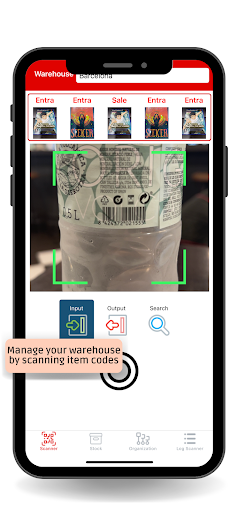
Simply: use the app's code scanner and save the objects in the corresponding category and store.
How does Inventory app work?
》Add items through bar codes and qr codes scan.
》Scan all types of qr codes and barcodes.
》Create and manage multiple warehouses.
》Group warehouse items into categories.
》A scanner reading log will let you know everything that has entered and exited.
》Every time you scan qr code you can add the price and a picture of the product.
Search the objects you need within the warehouses and categories by scanning the qr codes or barcodes.
Quickly scan an item and get stock and price information for this product within its file. You will be able to work on them later.
If the recently scanned item did not exist, you can create its card indicating name, product image, qr code or barcode, initial stock number, price and product description.
Indicate in each entry and exit movement of products, the purchase price and the sale price to obtain your benefit per item.
Get Stock Lists, Stock Values and Price List Reports.
About codes, this app supports EAN/UPC barcodes and qr codes.
Inventory is designed for businesses as well as personal pantry management at home.
Do not miss the opportunity to use the Inventory app!