التبيان التمهيدي
com.attebyan.introductory
View detailed information for التبيان التمهيدي — ratings, download counts, screenshots, pricing and developer details. See integrated SDKs and related technical data.

Screenshots

Description
Features of primer application
(The interactive electronic version of the book of clarification in education in the Koran - preliminary)
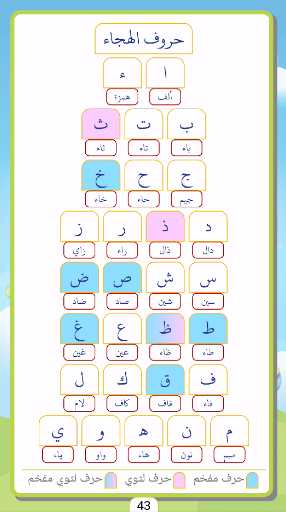
Letters of the alphabet:
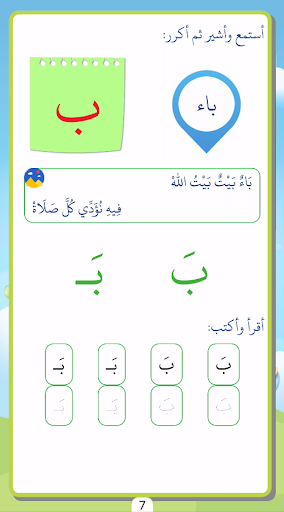
The application contains spellings in an interactive manner that enables the learner to hear the name of the character when it is clicked, with its different forms.
Song of Songs:
The characters accompanying the characters are played when clicked. The entire hymn was collected in a separate page with a different voice to match the anthem.
Teaching reading:
The characters in this application are rendered in a single, compounded state with other characters so that the learner can pronounce them correctly in a sequentially worded manner until they reach the correct reading knowledge of words containing open characters.
Teaching writing:
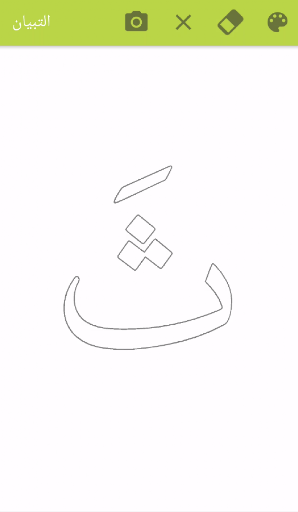
The application is not only read-only, it also contains the display of characters in different shapes to type, or display them in a hollow way to color them, with the options of scanning and change the color of the writing or coloring and other options. Training can also be done to write combinations and words.
Exercises:
The application displays the exercises in the book in an interactive way that shows the learner whether the solution is correct or needs to be retried.
The Holy Quran:
Contains part of the news with playback and repetition options.
Application options:
Repetition:
Repeated hearing the contents of the page several times determined by the learner.
Reading related:
Run the entire page with a single click.
Spelling:
When this option is activated, the word is activated in the spelling method used in the identification method, with the operative part being colored while listening. When this option is deactivated, the word is read directly when clicked.
Quick access:
Any lesson in the book can be accessed through the character label, by long clicking on any character to move the application directly to the lesson for that character.