ASUS OmniStor
com.asus.userprivatestorage
View detailed information for ASUS OmniStor — ratings, download counts, screenshots, pricing and developer details. See integrated SDKs and related technical data.

Screenshots


Description
ASUS OmniStor is an integrated enterprise content collaboration platform that uses digital data collaboration applications as its core; it uses high data security cloud integration platforms to provide business collaboration application scenarios, such as exchanging, sharing, co-editing, searching and managing of general and confidential file contents for internal and external members of enterprises or among organizations. Integrate with the OmniStor Office file collaboration platforms to help enterprises connect through digital transformation.
Download the ASUS OmniStor to experience secure and efficient digital working environments immediately:
[Mobile business application]
• Synchronize, backup and share files across different devices
• Diverse file access – Access cloud files through the App, web browsers or the cloud file manager Remote Drive.
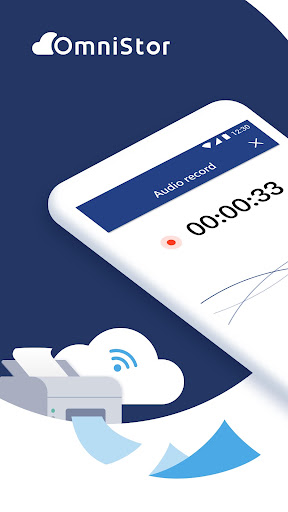
• Cloud printing – There are printing machines in almost 8,000 convenience stores nationwide that provide 24-hour cloud printing services.
• Multi-version mechanism – Flexibly set the number of versions based on your needs to locate updated files immediately.
• Cloud media library – There are add audio recording/video recording/note functions built-in that save the file to the cloud directly, there is no need to take up space on your mobile phone.
[Team collaboration operations]
• Online file collaboration – Members online can edit files together to achieve usage scenarios, such as real-time conference recording, data collecting, project managing, etc.
• Project folders – Group folders can be created based on project attributes, and project members can be invited to share, exchange or manage project data; data saved in project folders will not take up the space quota of the owner or members.
• File sharing setting – Enhance the security of file sharing by setting dedicated passwords and download periods.
[Cloud technology connotation]
• Compatible with enterprises’ existing LDAP and AD account authentication mechanisms.
• Flexible system architecture – HA high availability and supports flexible deployment models, including virtual machines and physical machines.
• Data security protection mechanisms – TLS and AES256 that can support third-party anti-virus software.
• Platform management mechanisms – User authorization management, platform management reports and visualized management interface.
• High performance and stability – Stable platforms that can bear dozens of thousands of U user access.
• Usage history control for sensitive personal information and key documents (OmniStor Protect).n such as 3G or Wi-Fi network required.