Together - Keep in touch
com.arkea.aol.ensemble
View detailed information for Together - Keep in touch — ratings, download counts, screenshots, pricing and developer details. See integrated SDKs and related technical data.

Screenshots



Description
"It has never been easier to keep in touch with your loved ones"
Ensemble is a free communication application linked to your telecare. It allows you to video chat and send messages, photos and short videos to your loved one.
If you are subscribed to the Premium + teleassistance, you benefit from an alert sending functionality. Wherever you are in France, send an alert from your Ensemble application and we will come to your aid.
The Ensemble application has been designed to give you the best possible communication experience with your loved ones - simple, fast, reliable.
- Make video calls to your loved ones from your smartphone.
- Send messages, photos and short videos to your loved one instantly.
- Send an SOS alert from your smartphone, wherever you are in France.
How does it work?
If you are a Premium + teleassistance subscriber:
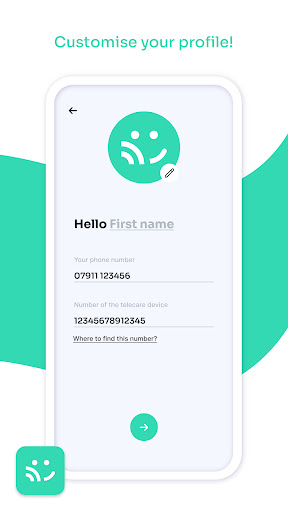
- Download the Ensemble application free of charge, click on "subscriber", then enter the number of your touch centre and the password (accessible from the "my messages" button in your touch centre). Then, all you have to do is personalise your profile, with your first name and a profile photo. Don't forget to enter your telephone number.
- Your friends and family can download the same application and follow the special "friends and family" steps below in order to appear in your contact list and exchange messages, photos and videos and call you by video.
- Also enjoy more security on the move with the "SOS" feature that allows you to send alerts wherever you are.
If you are a relative of the subscriber:
- Download the Ensemble application free of charge, then enter your first name, your telephone number and the number of the touchscreen unit installed in your loved one's home (the number is written on the back of the unit and in its messages). Our advice: add a profile photo before validating!
- Your own call button with your photo will automatically appear in the touchscreen's directory. He will now be able to call you on video, directly from his box, and very comfortably thanks to the powerful integrated loudspeaker.
- Start a video conversation with your relative! You can also send messages, photos and short videos to your relative!
Translated with www.DeepL.com/Translator (free version)